

Real Cost of Business Software
Hidden Integration, Switching, and Productivity Loss Costs
Real Cost of Business Software: Hidden Integration, Switching, and Productivity Loss Costs
Most businesses think software cost is simple: pay a monthly subscription and start using the tool. In reality, modern businesses rarely use one tool. A normal workflow may require an AI tool, marketing platform, data provider, email verification tool, and automation software working together. While each tool looks affordable alone, real software cost includes integration setup, staff training, productivity loss, vendor switching risk, and ongoing maintenance.
For small and mid-sized businesses, the real cost of software can be 2–5× higher than subscription pricing within the first year.
Real cost usually includes:
• Setup and initial configuration
• Integration with other tools
• Staff training and onboarding time
• Add-ons and feature upgrades
• Productivity loss during adoption
• Switching and migration risk later
If subscription looks cheap, check full cost before deciding.
This guide explains the real total cost of software ownership using real business examples, cost breakdowns, and 12-month cost calculations.
- Why Subscription Price Is Only the Starting Cost
- What Subscription Pricing Usually Does NOT Include
- Hidden Costs Most Businesses Miss
- The Real Cost of Training and Onboarding
- Integration and Setup Costs in Real Projects
- The Cost of Switching Software Later
- Hidden Productivity Cost: Using Too Many Tools
- 12 Month Real Cost Example for a Small Team
- How Small Businesses Can Estimate True Software Cost Before Buying
- Software Cost Evaluation Checklist
- Final Thoughts
Why Subscription Price Is Only the Starting Cost
The Subscription Pricing Illusion
Most software shows a simple monthly price, like “$20 per user per month.”
This looks easy to calculate, but it usually only covers basic access — not the real cost of using the software in daily business work.
Setup Cost and Initial Configuration Cost
Before your team can even use the software, setup is often required.
This may include:
- Account setup and configuration
- Workflow customization
- Data import or migration
- Security and permission setup
Some vendors charge setup fees.
Even if they don’t, your team still spends time setting everything up — which is also a cost.
Per-Seat Pricing That Looks Cheap (But Scales Fast)
Many tools charge per user.
This looks cheap at first but grows quickly as your team grows.
Example:
$25 per user × 5 staff = cheap
$25 per user × 20 staff = big yearly cost
Some tools also force minimum seat packages or charge premium price for admin users.
The Real Costs Start Appearing After You Start Using the Software
After launch, new costs usually appear:
- Add-ons for important features
- Integration with other business tools
- Staff training time
- Productivity slowdown during adoption
Add-Ons, Seats, and Integrations Quietly Increase Total Spend
Common hidden cost areas:
Add-ons
Reporting, automation, compliance, storage upgrades
Extra Seats
New hires, contractors, seasonal staff
Integrations
Connecting CRM, accounting, payments, or marketing tools
Simple Reality
Subscription price = entry cost
Real software cost = setup + seats + integrations + training + maintenance
What Subscription Pricing Usually Does NOT Include
Most software subscription prices only cover access to the tool — not the real work needed to make the software useful in your business. Below are common costs that usually appear after purchase.
Integration Setup
Software rarely works alone.
Most businesses need it connected to accounting systems, payment tools, email platforms, or CRM systems.
This can mean:
- Paying for connectors or integration tools
- Hiring someone to set it up
- Spending time testing if data flows correctly
Even simple integrations can take hours or days to make reliable.
Staff Onboarding Time
Your team does not become productive on day one.
People need time to:
- Learn where things are
- Understand new workflows
- Fix mistakes during early usage
During this period, work usually slows down — which is a real cost.
Workflow Customization
Every business works differently.
Most software needs adjustments to match how your team actually operates.
This may include:
- Creating custom fields
- Setting approval flows
- Adjusting dashboards and reports
- Changing notification rules
Customization often takes internal time or paid consulting help.
Data Migration
Moving data from old software to new software is rarely automatic.
You may need to:
- Clean old data
- Fix formatting issues
- Test imports multiple times
- Manually fix missing or broken records
Bad migration can create long-term reporting and operational problems.
Productivity Loss During Adoption
When teams switch tools, speed usually drops for a while.
This happens because:
- People search for features
- Mistakes increase at the start
- Processes take longer until habits form
Even a small slowdown across a team can cost more than the monthly subscription price.
Hidden Costs Most Businesses Miss
These hidden costs often grow slowly — which is why many businesses don’t notice them until they are already paying much more than expected.
Many software costs don’t appear during the buying decision.
They appear later, when the software becomes part of daily work.
Extra User Seats and License Expansion
Most software charges per user (per seat).
At the start, this looks affordable because the team is small.
But costs increase when:
- You hire new staff
- You give access to managers or external partners
- You need backup or shared accounts
Some vendors also force minimum seat plans.
For example, you may need 10 seats even if you only use 7.
Over a year, unused or extra seats can become a major hidden expense.
Paid Add-Ons and Feature Unlocks
Many tools keep important features locked behind upgrades.
At first, the basic version seems enough.
Later, businesses often need:
- Advanced reporting
- Automation tools
- Security or compliance features
- Extra storage
- Multi-location support
Each upgrade increases monthly cost — sometimes significantly.
Integration and Connector Costs
When software needs to connect with other tools, extra cost often appears.
This may include:
- Paying for third-party integration platforms
- Paying developers or consultants to connect systems
- Paying for API or usage limits
Even if integration works today, future updates can require maintenance work.
Support and Service Tier Upgrades
Basic support is usually included in subscription price.
But faster or better support often costs extra.
Businesses may upgrade support when:
- System downtime affects revenue
- Teams depend heavily on the software
- Problems need faster resolution
Priority support or dedicated account managers often come with additional fees.
The Simple Reality
Hidden costs don’t appear all at once.
They appear step by step — as your business grows and uses the software more deeply.
| Cost Type | When It Appears | Visible or Hidden | Long Term Impact |
|---|---|---|---|
| Subscription | Immediately | Visible | Medium |
| Setup Cost | Before usage | Semi Visible | Medium |
| Integration Cost | During implementation | Hidden | High |
| Training Cost | Early months | Hidden | Medium |
| Productivity Loss | First months | Very Hidden | High |
| Add-Ons | After usage grows | Semi Hidden | Medium |
| Switching Cost | Later if tool changes | Future Hidden | Very High |
The Real Cost of Training and Onboarding
Training cost is one of the most ignored software costs.
Many businesses think software is “easy to use”, so training cost will be zero.
In real life, that almost never happens.
Staff Training Time = Real Money
When new software comes, staff need time to learn it.
During this time, work speed usually drops.
If one employee spends 10 hours learning software, that is 10 working hours lost.
If 10 employees do this, cost becomes big without showing in any invoice.
Also managers and senior staff usually spend extra time helping others.
That is hidden productivity cost.
Productivity Drop During Early Usage
Even after training, people are slower at start.
They search menus, make mistakes, ask questions, repeat tasks.
For few weeks, work output is usually lower than normal.
Most companies don’t calculate this loss, but it is real.
New Staff Training Never Stops
Training is not one time cost.
Every new hire needs onboarding.
Also when software updates features, staff again needs to learn changes.
This keeps adding small time cost again and again.
Documentation and Process Adjustment Cost
When new software is added, companies often update SOPs, guides, and internal processes.
Someone must write guides, record videos, answer staff questions.
This usually comes from internal time, not vendor.
Training cost is not paid to software company.
But business still pays it through lost time and slower work speed.
Integration and Setup Costs in Real Projects
Many businesses think software will work immediately after buying.
In real life, most software needs setup before it becomes useful for daily work.
Sometimes setup is small.
Sometimes it becomes full project.
Technical Setup Cost
Before software works properly, someone has to set it up.
This can include:
- Creating accounts and permissions
- Setting company settings
- Connecting email or payment systems
- Testing if data flows correctly
If business hires consultant or developer, cost increases fast.
If internal staff does it, still time cost is there.
Custom Setup Based on Business Process
Every business works little different.
Software default settings rarely match perfectly.
So companies usually adjust things like:
- Workflow steps
- Approval rules
- Notification settings
- Report formats
Small changes take time.
Complex custom setup can take weeks sometimes.
Integration With Other Business Tools
Most companies use multiple tools.
So new software must connect with old systems.
Example connections:
- Accounting software
- CRM
- Marketing tools
- Inventory systems
Integration sometimes needs extra tools or paid connectors.
Sometimes needs developer support.
Ongoing Integration Maintenance
Integration is not “set once and forget”.
When software updates, integration can break.
APIs change.
Security rules change.
Then someone must fix it again.
This becomes yearly hidden maintenance cost.
Security and Compliance Setup Cost
Some businesses need security or compliance setup.
This can include:
- Access control setup
- Audit logging
- Data protection configuration
This is very important but takes extra time and sometimes extra tools.
Simple Reality
Setup cost usually happens once at start.
But integration maintenance cost can continue for years.
Businesses that ignore setup and integration cost often underestimate real software cost badly.
The Cost of Switching Software Later
Many businesses choose software thinking they can change later if needed.
In reality, switching software is usually expensive, slow, and stressful for teams.
Switching cost is not only money.
It is time, risk, and productivity loss.
Data Migration Cost
When switching software, old data must move to new system.
This is rarely one-click process.
Usually you need to:
- Export old data
- Clean wrong or duplicate data
- Match fields between systems
- Test imports multiple times
If data is wrong after migration, it can create reporting problems later.
Sometimes companies need outside help for migration.
That adds direct cost.
Rebuilding Integrations and Automations
New software usually does not connect same way as old one.
So companies often need to:
- Reconnect payment systems
- Rebuild automation workflows
- Reconnect reporting dashboards
- Test everything again
If business uses many tools, this becomes big project.
Business Downtime and Risk
During switching period, systems may run slower or partially.
Possible problems:
- Delayed customer responses
- Billing or order processing delays
- Staff confusion
- Temporary data mismatch
Even few days slow operations can cost more than software subscription.
Staff Retraining Cost
New software means team must learn again.
Even if new system is “better”, learning still takes time.
During this time mistakes increase and speed drops.
For bigger teams, retraining cost can be very high.
Parallel Software Cost During Transition
Many businesses run old and new software together for some time.
This means paying two subscriptions at same time.
Plus managing two systems together.
Simple Reality
Switching software is rarely cheap or fast.
Businesses that check exit options before buying software usually save money later.
Hidden Productivity Cost: Using Too Many Tools
Many businesses keep adding new software tools over time.
Each tool solves one small problem.
But together, too many tools can slow work and increase cost without people noticing.
This is called productivity loss from tool switching, even if nobody uses that word in daily business.
Time Lost Switching Between Tools
When staff move between multiple tools, small time is lost each time.
Example:
Checking CRM → Opening email tool → Updating project tool → Checking reporting dashboard
Each switch looks small.
But repeated all day, it becomes hours every week.
Also, people lose focus when switching tasks.
They need few minutes to get back into work flow again.
Duplicate Data Entry Cost
When tools don’t connect properly, staff often enter same data multiple times.
Example:
Entering customer info in CRM
Then again in accounting system
Then again in support tool
This wastes time and increases mistake chances.
More Logins, More Access Management, More Confusion
More tools means:
More passwords
More permission control
More “where is this data saved?” confusion
New staff onboarding also becomes harder.
Notification and Distraction Cost
More tools = more alerts, emails, popups, reminders.
Staff lose focus more often.
Deep work becomes harder.
This slowly reduces productivity across whole team.
Reporting and Data Mismatch Problems
When data is spread across many tools, reports become harder.
Teams may see different numbers in different systems.
Someone must manually verify data.
This again adds hidden time cost.
Simple Reality
One powerful tool that fits well is often cheaper than many small tools combined.
Too many tools increases cost not only in subscription, but also in time, mistakes, and slower work speed.
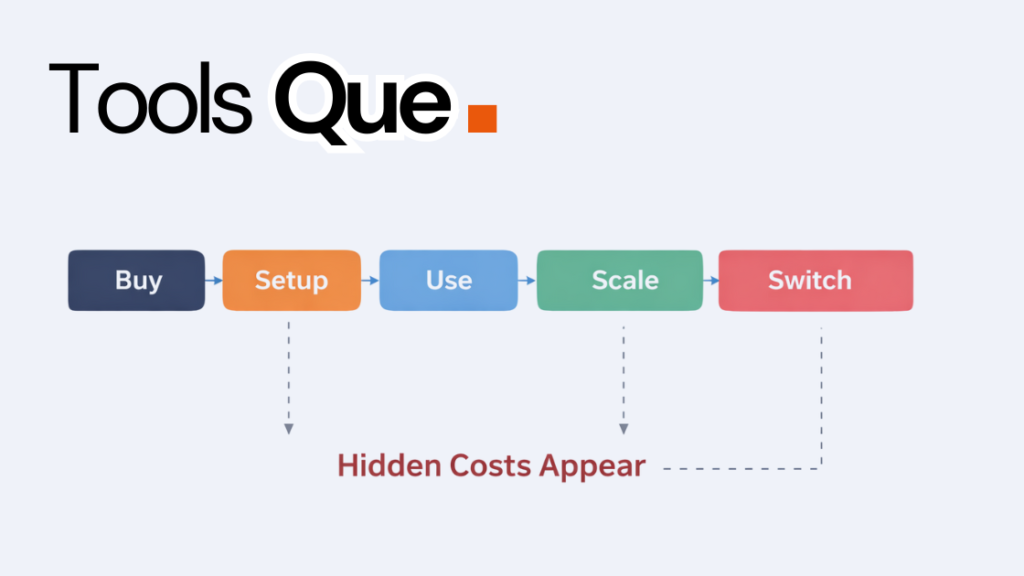
12 Month Real Cost Example for a Small Team
Many businesses only calculate software cost using subscription price.
Real cost usually becomes clear only after few months of real usage.
Below is simple example to show how cost grows over 12 months.
Example Scenario: Small Team Using Business Software
Company size: 8 employees
Software type: CRM + basic automation + reporting
Subscription Cost (12 Months)
Software price: $30 per user per month
8 users × $30 = $240 per month
$240 × 12 months = $2,880 per year
At this stage, software looks affordable.
Setup and Integration Cost (Year 1)
Initial setup help or consultant = $800
Integration tool or connector cost = $40 per month
$40 × 12 = $480 per year
Total Setup + Integration Year 1 = $1,280
Training Cost
If each employee spends 12 hours learning software
Average cost per employee hour = $10 (example simple calculation)
12 hours × 8 employees = 96 hours
96 × $10 = $960 training cost
Productivity Loss Cost During First Months
If each employee loses only 20 minutes per day for first 2 months
20 min × 22 work days × 2 months ≈ 880 minutes ≈ 14.5 hours per employee
14.5 × 8 employees = 116 hours
116 × $10 = $1,160 productivity loss
Add-Ons and Extra Features
Reporting add-on = $60 per month
Automation add-on = $40 per month
$100 × 12 = $1,200 per year
Real 12 Month Software Cost
Subscription = $2,880
Setup + Integration = $1,280
Training = $960
Productivity Loss = $1,160
Add-ons = $1,200
Total Real Year Cost = $7,480
What This Shows
Subscription looked like $2,880 per year.
Real cost became $7,480 per year.
Almost 2.5× higher than expected.
Simple Reality
Software is not only what you pay vendor monthly.
Real cost includes time, setup, training, and how software fits into real daily work.
Businesses that calculate full 12 month cost usually make better software decisions.
How Small Businesses Can Estimate True Software Cost Before Buying
Before buying software, many businesses only compare monthly price.
Smart businesses try to estimate full real cost before they commit.
This helps avoid surprise expenses later.
Check Setup and Initial Cost
Before buying, ask:
- Is there setup fee?
- Will we need outside help to configure?
- How long will internal team spend setting this up?
Even if vendor says “easy setup”, still assume some time cost.
Check Integration Needs
Most businesses need software to connect with other tools.
Ask:
- Does it connect to our existing tools?
- Is connector free or paid?
- Will we need developer help?
- Who will maintain integration later?
Integration problems are one of biggest hidden cost areas.
Check Real Per-User Cost Growth
Look beyond current team size.
Ask:
- What happens if team doubles?
- Are there minimum seat limits?
- Are admin users more expensive?
Cheap per-user price can become expensive when team grows.
Check Training and Learning Curve
Ask:
- How long before team becomes comfortable?
- Is training included?
- Are tutorials or onboarding support available?
Complex software often costs more in time than money.
Check Add-Ons Needed for Real Usage
Basic plan is often not enough.
Ask:
- Which features are locked behind upgrade?
- Will we need automation, reporting, or security add-ons later?
Plan cost using realistic feature needs, not basic plan marketing.
Check Exit and Switching Risk
Very important but often ignored.
Ask:
- Can we export all data easily?
- How hard is migration later?
- Are we locked into long contract?
Software that is hard to leave can become expensive long term.
Simple Reality
Best software is not always cheapest monthly.
Best software is one that fits business workflow, integrates easily, and does not create hidden costs later.
Businesses that calculate full cost before buying usually avoid expensive mistakes.
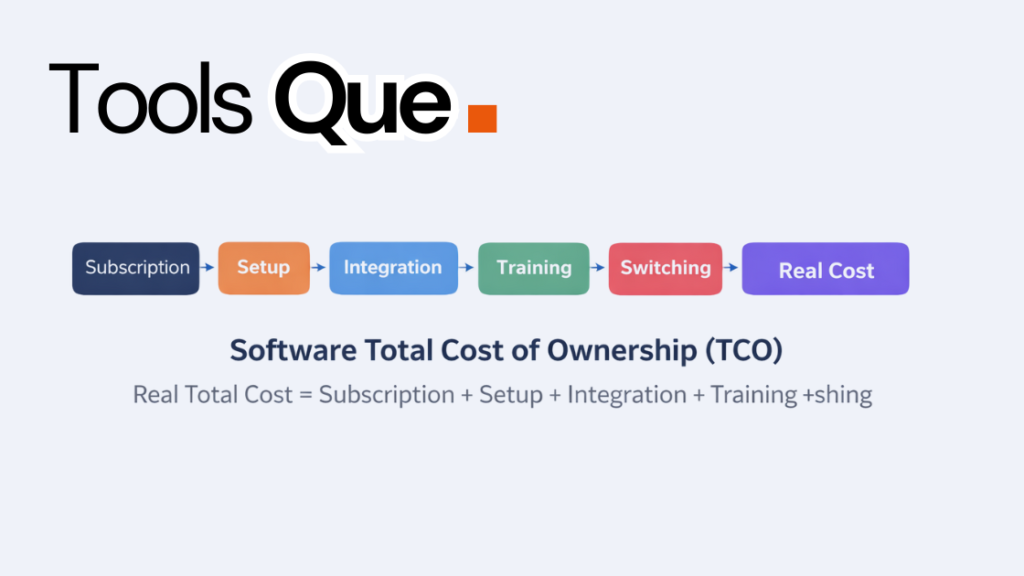
Software Total Cost of Ownership (TCO) — Simple Model
Real Software Cost =
Subscription Cost
- Setup Cost
- Integration Cost
- Training Cost
- Productivity Loss Cost
- Maintenance Cost
- Switching Risk Cost
Most businesses calculate only subscription.
Smart businesses calculate total ownership cost.
Software Cost Evaluation Checklist
Before buying any business software, use this simple checklist.
If many answers are unclear, real cost will likely be higher than expected.
Subscription Cost
[ ] Yearly subscription total calculated
[ ] Future price increase checked
[ ] Contract lock-in checked
Setup Cost
[ ] Setup fee confirmed
[ ] Internal setup time estimated
[ ] External consultant cost checked
Integration Cost
[ ] Integration required tools listed
[ ] Connector cost checked
[ ] Integration maintenance owner decided
User Cost
[ ] Future team size cost estimated
[ ] Admin or premium seat cost checked
[ ] Minimum seat limits checked
Training Cost
[ ] Training time estimated
[ ] Training resources available
[ ] New staff training process planned
Add-On Cost
[ ] Required add-ons identified
[ ] Add-on yearly cost calculated
Switching Risk
[ ] Data export tested or confirmed
[ ] Migration difficulty understood
[ ] Exit cost estimated
Productivity Impact
[ ] Tool reduces or increases work steps
[ ] Tool overlap checked
[ ] Multi-tool switching risk checked areas,
real cost will likely be much higher over time.
What is the real cost of business software?
The real cost includes subscription price plus integration, training, productivity loss, switching risk, and maintenance costs.
Why is software integration cost so high?
Integration requires developer time, testing, maintenance, and often third-party tools or connectors.
How much does switching software cost a business?
Switching cost depends on data migration complexity, integration rebuild, and team retraining requirements.
What is software total cost of ownership (TCO)?
TCO is the total financial impact of software over its lifecycle, including subscription, setup, training, maintenance, and switching risk.
Final Thoughts
Software subscription price is only visible cost.
Real cost includes setup, integration, training, productivity loss, and switching risk.
Businesses that think long term usually spend less and avoid operational problems.
Choosing software based only on monthly price often leads to higher total cost later.