
Safe QR Code Scanner Online
Built by Najeeb · last updated September 11, 2026 · checked against our testing process
Supports JPG · PNG · WebP · screenshot
Resolve & audit sends the decoded link, never your image, to unshorten.me, a free redirect-checking service, to find where it really ends up.
Related: QR code not scanning? 12 fixes that work · can a QR code give you a virus · is it safe to share your WiFi by QR code · all QR code tools
How the safe QR scanner works
Step 1: Scan the QR code
Upload an image containing a QR code or use your camera to scan it. The image is read in your browser.
Step 2: See what is inside
The decoded content appears below the scanner: the exact link or text hidden in the code. Nothing opens.
Step 3: Resolve and audit the link
Press Resolve & audit. The tool follows the redirects through unshorten.me, shows where the link really ends up, and runs 17 warning-sign checks before you decide whether to open it.
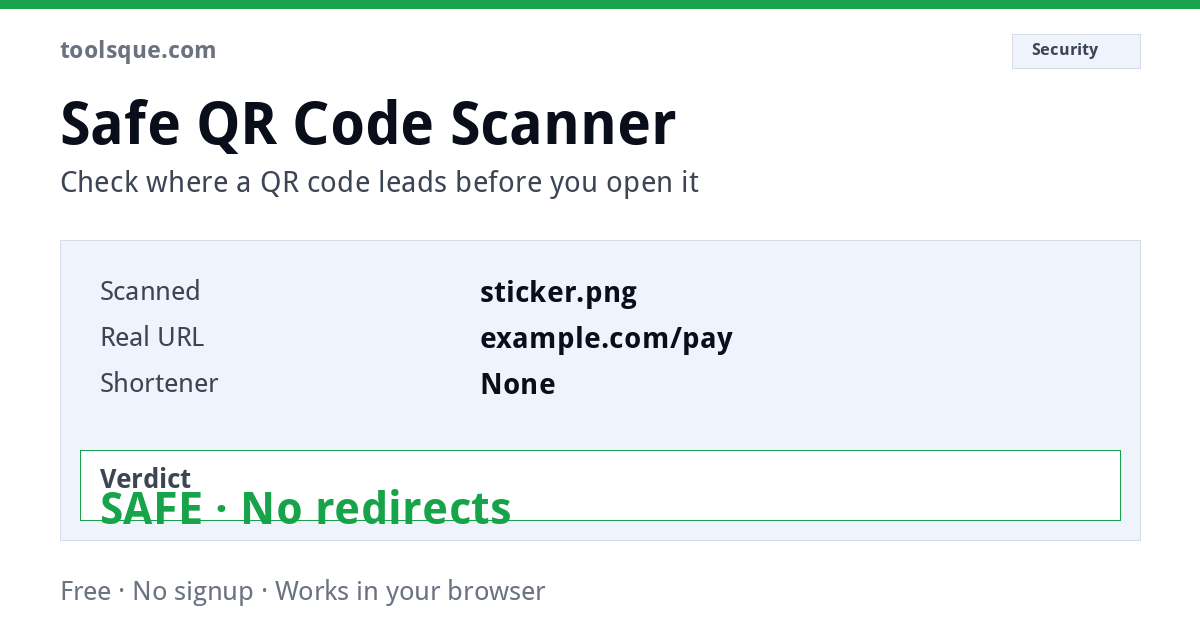
Safe QR Code Scanner: See Where a QR Code Goes Before You Open It
Most QR code scanners open links the moment you scan them. You have no idea where you are going until you are already there.
This safe QR scanner works differently. It decodes the QR code, follows every redirect, and shows you the final destination URL before anything opens. You decide whether to proceed. Nothing opens automatically.
What Information Can You See After Scanning?
This tool extracts more than just the raw link. For every QR code you scan or upload, you can see:
Decoded content: the exact URL or text stored inside the QR code, displayed in full before any action is taken.
Final URL after redirects: the real destination after following every redirect in the chain. A link that appears to go to bit.ly/abc may actually end at a completely different domain. This tool resolves that path and shows you where it actually leads.
Risk signals: a breakdown of specific indicators that suggest a link may be dangerous. These include suspicious domain patterns, short links that mask their destination, executable file downloads, unusual TLDs, embedded credentials, IP addresses instead of domain names, and brand impersonation through subdomain spoofing.
Safety rating: a score from 0 to 100 based on detected signals, classified as Low Risk, Caution, or High Risk.
Recommendation: a plain-English summary of what to do based on the analysis.
This combination, decoded content plus redirect resolution plus signal analysis, is what makes this a safe QR scanner rather than a basic QR reader.
What Makes This Different From Your Phone's Built-In Scanner?
When you scan a QR code with your phone's default camera app, it opens the link immediately. There is no preview. There is no redirect check. There is no warning if the destination is suspicious. You are sent to wherever the code points before you have any chance to review it.
| Standard phone scanner | Toolsque Safe QR Scanner | |
|---|---|---|
| Shows you the link first | Usually just the first address | Yes, and where it really ends up |
| Follows hidden redirects | No | Yes: resolves full redirect chain |
| Shows final destination | No | Yes |
| Security signal analysis | None | 17 checks |
| Flags executable files | No | Yes (.exe, .apk, .msi, .dmg, .zip and more) |
| Flags brand spoofing | No | Yes: subdomain impersonation detection |
| Flags suspicious TLDs | No | Yes (.xyz, .tk, .zip, .mov and others) |
| Works on laptop / desktop | No | Yes |
You stay in control. Nothing opens without your decision.
How the Redirect Resolver Works
Short links like bit.ly, tinyurl.com, rb.gy, and t.ly are frequently used in QR codes because they are compact. They are also frequently used in phishing because they hide the real destination.
When you press Resolve & audit on a web link, the tool asks unshorten.me, a free redirect-checking service, to follow every redirect in the chain. Your browser never loads the pages along the way, so nothing on them runs on your device. The decoded link goes to that service; your image never leaves your browser. The final destination URL is returned and displayed to you before anything else happens.
This means you can see the real endpoint of a bit.ly link, a tinyurl link, or any custom short domain, without ever visiting the intermediate pages.
If the redirect chain cannot be resolved, due to network restrictions or CORS limitations, the tool analyses the raw URL and clearly states that resolution was unavailable. You always know exactly what was checked and how.
What Are QR Code Phishing Attacks (Quishing)?
Quishing is the term for phishing attacks that use QR codes instead of traditional links. It has grown significantly since 2023 because QR codes bypass many standard email security filters: filters that scan text links but cannot read what is encoded in an image.
Attackers use QR codes in:
Fake parking payment notices
a sticker placed over a legitimate parking meter QR code, redirecting to a fake payment page. It is one of the most widely reported QR scams in the UK and US. If a parking QR code takes you to an unfamiliar domain rather than an official city or payment provider app, it is likely a scam.
Email attachments and invoices
QR codes embedded in PDFs or printed documents that bypass link-scanning security tools because the code appears as an image.
Charging stations and public displays
QR codes in airports, hotels, and public transport hubs that have been tampered with or placed by attackers over legitimate codes.
Fake delivery notifications
SMS or printed notices claiming a parcel is waiting, with a QR code that leads to a credential harvesting page.
The reason quishing works is that people instinctively trust QR codes and cannot see the destination link the way they can hover over a hyperlink. This scanner removes that blind spot.
How to Check If a QR Code Is Safe Before Scanning
Step 1: Decode first, open second. Never use a scanner that opens the link automatically. Always use a tool that shows you the destination before proceeding.
Step 2: Check the domain. Does the domain name match the company or service you expect? A parking payment page should show a known domain like paybyphone.com or a local authority .gov.uk address, not a random string followed by .xyz or .top.
Step 3: Check for redirects. If the QR code uses a short link, resolve it to see where it actually goes. A legitimate business rarely needs to hide its destination behind a URL shortener.
Step 4: Look for red flags. Be cautious if the URL contains words like login, verify, secure, update, or confirm. These are common in phishing pages. Also be cautious of IP addresses in place of domain names, domains with many hyphens, and non-standard file extensions.
Step 5: Check the file type. If the QR code leads to a .exe, .apk, .msi, .dmg, or .zip file, do not download it unless you know exactly what it is and trust the source completely.
Step 6: Decide consciously. After reviewing all of the above, make an active decision. Do not assume safety because the code was printed on an official-looking sign.
Is It Safe to Scan QR Codes on Parking Meters?
Parking meter QR code fraud is one of the most widely reported quishing scams. Attackers print fraudulent QR stickers and place them over legitimate payment codes on meters, signage, and ticketing machines.
The fake codes redirect to a convincing but fraudulent payment page that collects your card details. The payment appears to go through: but your card data has been captured.
How to identify a fake parking QR code:
- The code is on a separate sticker rather than printed directly onto the meter
- The destination URL does not match the official parking provider (PayByPhone, RingGo, JustPark, or local council domains)
- The page asks for more personal information than a parking payment normally requires
- The domain uses an unusual ending (.xyz, .click, .top) instead of .com or .co.uk
Before paying via any parking QR code, decode it with this tool first. If the resolved destination does not match the official payment provider shown on the signage, do not proceed.
Can QR Codes Trigger Malware Downloads on Android or iPhone?
A QR code itself is just encoded text. It cannot execute code or install anything on its own. However, the link it contains can lead to pages that attempt to trigger downloads.
On Android: if a QR link leads to a .apk file, Chrome will prompt you to download and install it. If you grant permission, that application installs on your device. Malicious APKs are a common delivery method for banking trojans and spyware. Android first asks you to allow installs from that browser or app, but the prompt can look convincingly legitimate.
On iPhone and iPad: QR codes cannot install apps directly from outside the App Store on standard iOS. However, they can lead to pages that attempt to install configuration profiles, which can alter device settings and certificates. iOS will prompt you to install the profile: decline immediately if you did not initiate this from a trusted source.
On any device: drive-by downloads can occur if the QR leads to a compromised page that exploits an unpatched browser vulnerability. This is less common but not impossible, especially on outdated operating systems.
This scanner flags .apk, .exe, .msi, .dmg, .ipa, .scr, .vbs, and archive formats before you visit the URL, so you know what type of download awaits before you click anything.
Is It Safe to Scan QR Codes on Charging Stations?
Charging stations in airports, hotels, cafes, and public transport hubs increasingly display QR codes for apps, loyalty programmes, or payment. Attackers exploit this by placing fraudulent codes in high-trust, high-traffic environments where people are less likely to be suspicious.
Before scanning any QR code at a charging station or public terminal, check that the code is part of the permanent signage rather than a sticker that could have been placed by anyone. Then decode the QR with this tool and verify the destination domain before tapping through.
Safe QR Scanner for Business and Employees
Organisations face increasing risk from quishing attacks delivered via printed materials, invoices, and internal communications. Employees who habitually scan QR codes without previewing the destination are a significant vulnerability in any security posture.
This tool can be used as part of employee training and awareness programmes to demonstrate:
- How QR codes can mask their real destination
- How redirect chains work and why the final URL matters
- How to identify domain spoofing, suspicious TLDs, and credential-harvesting patterns in real examples
For enterprise security teams, it provides a no-install, browser-based tool to check suspicious QR codes received by staff without exposing the device to the destination site.
Important Disclaimer
This tool provides automated link analysis based on 17 warning signs. It does not guarantee that any link is safe, and it does not check real-time threat databases, certificate logs, or what a page does once it loads.
You should always manually review the destination URL, exercise caution with unknown domains, avoid downloading executable or compressed files from unverified sources, and never enter personal, financial, or login credentials on a page you did not intentionally navigate to.
This tool is provided for informational and educational purposes. Final responsibility for any decision to open a link, enter personal data, or download a file rests with the user.
Looking for a WiFi password instead?
This page checks whether the link behind a QR code is safe to open. If the code you are holding is a WiFi code: the kind printed on a router or a café card. There is no link to check. It carries a network name and password as plain text, and a different tool reads it:
- Scan a WiFi QR code: camera or image, shows the network name and password.
- Paste the
WIFI:T:text: if your camera already gave you the raw string.
Worth knowing either way: a WiFi QR code offers no protection at all. The password sits in the code as readable text, so anyone who photographs a printed code has your network key. That is a fair trade for a guest network on an isolated VLAN, and a poor one for the network your accounts and devices live on.
Frequently Asked Questions
How can I check if a QR code is safe before opening it?
Scan or upload the code here and the tool shows you the exact URL inside it before anything opens. You see the real destination, whether it uses a link shortener, and whether the domain looks suspicious: then you decide.
What makes a QR code dangerous?
The code itself is harmless: the danger is where it points. Scammers place stickers over legitimate codes on parking meters, menus, and posters, sending you to phishing pages that imitate payment or login screens.
What are signs of a scam QR code link?
Link shorteners hiding the real domain, misspelled brand names (paypa1, arnazon), unusual endings like .tk or .zip, and pages that immediately ask for card details or passwords. This scanner flags shorteners and follows redirects for you.
Can a QR code install a virus just by scanning it?
Scanning alone cannot install anything on a modern phone. The risk starts when you open the link and interact with the page: which is exactly the step this tool lets you inspect first.
Does the scanner send my link anywhere?
Only if you press Resolve & audit on a web link. Then the link is sent to unshorten.me, a free redirect-checking service, so the tool can see where it really ends up. The QR image itself never leaves your device. For a private link, such as a password reset link, you can skip that step and read the decoded address yourself.
Does this work with a screenshot instead of a camera?
Yes: upload any image containing a QR code. The image is read in your browser and never uploaded.