
WiFi QR Code Generator
Free WiFi QR Code Generator (With Logo, SVG & Print Options)
Create a WiFi QR code instantly — no app, no login, no data stored.
Works on Android, iPhone, tablets, and laptops. Generate, customize, and download in seconds.
WiFi QR Code Generator
How the WiFi QR Code Generator Works
Creating a WiFi QR code takes only a few seconds.
1. Enter your WiFi network name (SSID).
2. Add the network password.
3. Choose the encryption type (WPA/WPA2, WEP, or None).
4.Stylized Customize QR, Add Logo, Change Color, Change Style
5. Generate the QR code.
6. Download the QR image and share it with guests.
When someone scans the QR code with their phone camera, the device automatically opens a connection prompt with the WiFi details filled in.
Explore more QR Tools
Decode a WiFi QR code instantly to reveal the network name, password, and security type. Perfect for accessing shared networks on laptops, desktops, or older devices.
Privacy-First WiFi QR Generator
- No data stored on server
- Runs completely in your browser
- Your WiFi password never leaves your device
This makes it a secure and private way to share your WiFi access.
Generate WiFi QR Code for Instant Connection
Use this free WiFi QR code generator to:
- generate QR code for WiFi password
- create QR code for WiFi connection
- share WiFi without typing password
- connect instantly by scanning
Works with all modern smartphones and devices.
Printable WiFi QR Code (SVG & PNG)
Download your WiFi QR code in high-quality formats:
- PNG for quick sharing
- SVG for print and scaling
- Perfect for posters, cards, and displays
Advanced WiFi QR Settings
Supports all modern WiFi configurations:
- WPA / WPA2 / WPA3 security
- Hidden networks (SSID not broadcast)
- Custom network name and encryption
How WiFi QR Codes Work
A WiFi QR code contains:
- Network name (SSID)
- Password
- Security type (WPA/WPA2/WPA3)
When scanned, devices automatically connect to the network without manual input.
The Technical Security of WiFi QR Codes
Not all QR generators are created equal. Toolsque uses Client-Side Generation, meaning your SSID and Password never leave your browser. This is a critical security advantage over cloud-based generators that may log your network credentials.
In 2026, WPA3-SAE is the gold standard for wireless security. When generating your code, ensure your router supports this protocol to prevent "de-authentication" attacks. Our tool automatically formats the string as WIFI:T:WPA;S:SSID;P:PASSWORD;; which is the universal standard recognized by both iOS and Android 14+.
Information Stored in a WiFi QR Code
A WiFi QR code typically contains the following information:
Network Name (SSID)
Password
Encryption Type (WPA, WPA2, WEP, or Open)
Hidden Network setting
Example WiFi QR format:
WIFI:T:WPA;S:MyNetwork;P:MyPassword;H:false;
Phones recognize this format and automatically prepare the connection.
Most modern routers use WPA2 or WPA3 encryption, which provides strong network security.
Hidden Network Setting
If your router hides the network name (SSID), enable the Hidden Network option when generating the QR code.
When a network is hidden, phones will not detect it automatically. Without enabling the hidden option, the QR scan may fail to connect.
WiFi QR Code Generator with Logo
Create a custom WiFi QR code with logo, colors, and design. Perfect for branding in cafes, offices, and guest networks.
Advanced WiFi QR Settings
Supports:
Custom SSID and encryption
WPA / WPA2 / WPA3
Hidden networks
Airbnb Host Tip
Running an Airbnb or guest house? Print your WiFi QR code and place it near the entrance, desk, or living room so guests can connect immediately without asking for the password. This reduces support messages and improves the guest experience.
Is It Safe to Share WiFi QR Codes?
WiFi QR codes are generally safe to share, but they should only be displayed in places where you trust the people connecting to your network.
Use a strong WiFi password.
Avoid posting WiFi QR codes publicly online.
Update your WiFi password periodically.
Create WiFi QR Code for Guests
Easily share WiFi access in:
- Homes and apartments
- Airbnb and rental properties
- Cafes and restaurants
- Offices and coworking spaces
Guests can connect instantly without asking for passwords.
Why Use This WiFi QR Code Generator
- 100% free and instant
- No app installation required
- Works on mobile and desktop
- Fully customizable QR design
- Secure and private (no server storage)
Create Custom WiFi QR Code for Any Use Case
Use this tool to:
- generate WiFi QR code with logo
- create printable WiFi QR for guests
- share WiFi password securely
- connect instantly without typing
FAQ
What encryption should I choose?
Most networks use WPA or WPA2 encryption. If your network has no password, choose None.
Can I print the WIFI QR code?
Yes. After generating the QR code, you can download it as a PNG or SVG image and print it.
Why is my iPhone not joining the WiFi after scanning the QR code?
This usually happens if the "Hidden Network" setting was not toggled during generation. If your SSID is broadcast-disabled, the iPhone requires the H:true flag in the QR string to initiate a handshake. Additionally, ensure your encryption is set to WPA2/WPA3; selecting "WEP" for a modern router will cause a connection timeout.
Can a WiFi QR code be used to hack my phone?
A standard WiFi QR code only contains network credentials (SSID and Password). It cannot execute code or install software. However, you should only scan QR codes from trusted sources. To stay safe, use our Safe QR Scanner to inspect the raw data of any unknown code before connecting.
Does a WiFi QR code expire if I change my password?
Yes. Since the password is "hardcoded" into the QR image, any change to your router's password or SSID will render the old QR code invalid. You will need to generate and print a new code to restore instant access for your guests.
Is there a limit to how many people can scan the WiFi QR code?
No, there is no limit to the number of scans. However, your router has a hardware limit on how many "concurrent devices" can be connected at once. For most home routers, this is between 32 and 64 devices.
What is the difference between WPA2 and WPA3 in a QR code?
WPA3 is the latest security standard (introduced widely in 2024-2026) that provides better protection against "offline dictionary attacks." If your router was made after 2022, you should choose WPA2/WPA3. If you have older "Smart Home" devices (IoT), WPA2 is the safer choice for compatibility.
Explore More QR Tools
If you’re working with QR codes regularly, you may also find our other tools helpful. Use the Safe QR Code Scanner to analyze unknown QR codes and check link safety before opening. If you need to create your own codes, try the QR Code Generator to generate custom QR codes for WiFi, URLs, or sharing information. You can explore all available utilities in our QR Tools library to scan, inspect, and manage QR codes more effectively. or Read more about on Qr Code Guides and how to use it.
Explore more WiFi QR Code Decoder Guides
To understand WiFi QR codes better and learn advanced tips, troubleshooting methods, and safe decoding practices, explore our WiFi QR Code Decoder guides. These resources help you get the most out of QR-based WiFi connections.
How to Find WiFi Password from QR Code→
WiFi QR Code Format Explained: Structure, Fields & Examples→
More QR code generators
- LinkedIn QR code generator — share your profile in one scan.
- QR code for PDF — link a menu, brochure, or resume.
- Transparent QR code generator — no white box, for colored designs.
Last reviewed: July 25, 2026. All features tested on Chrome, Firefox, and Safari.
Related: share your WiFi with guests using a printed QR code
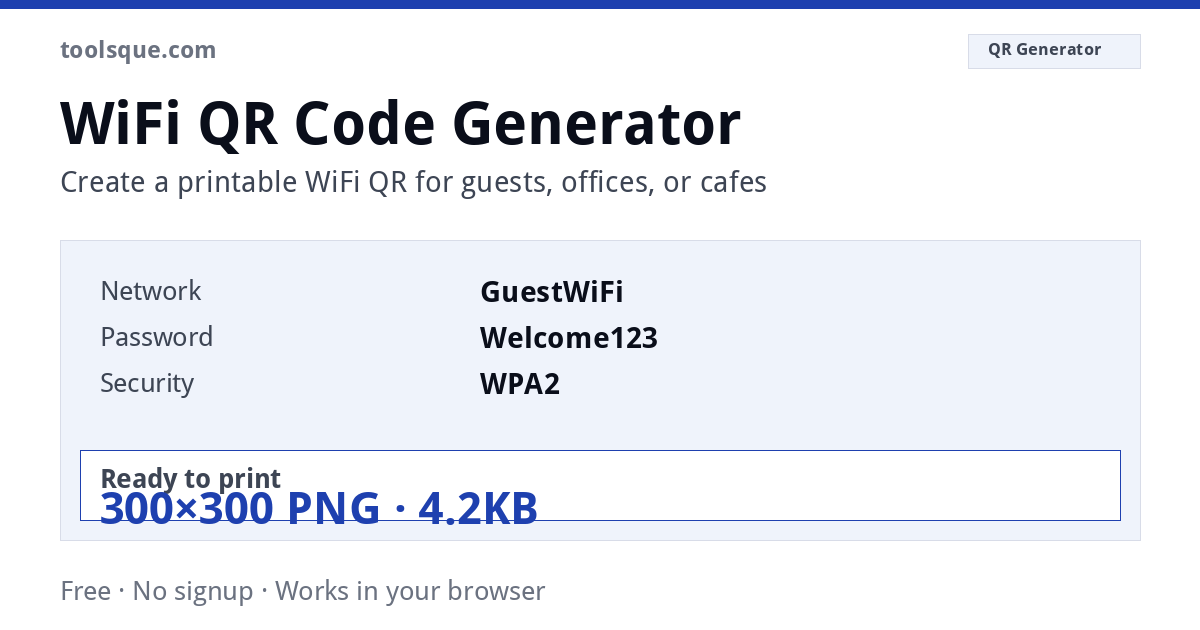
The WiFi QR code format explained
WIFI:T:<auth>;S:<ssid>;P:<password>;H:<hidden>;;WIFI:T:WPA;S:MyNetwork;P:MyPassword;H:false;;WPA covers WPA/WPA2/WPA3, WEP for legacy, nopass for open networks). S is the SSID, P the password, H whether the network is hidden. The trailing double semicolon terminates the string and is required: codes that fail to scan are very often missing it. If your SSID or password contains ; , : " each must be escaped with a backslash. This generator encodes at error correction level H, so the code still scans with a logo overlaid or with print wear. QR codes follow ISO/IEC 18004. Error correction comes in four levels, L (~7% recoverable), M (~15%), Q (~25%) and H (~30%), and a quiet zone of at least 4 modules of clear space is required around the symbol for reliable scanning. Worth knowing: the WIFI: scheme is a de-facto convention originating with the ZXing project rather than a formal ISO standard, but it is supported natively by Android and by the iOS Camera app since iOS 11. Everything runs in your browser. Nothing you enter or upload is sent to a server, logged or stored.WIFI:T: rather than offering to connect, paste that text into the WiFi QR decoder to pull out the network name and password.Authentication types and what each actually does to your network
Every WiFi QR code embeds one of four authentication tags: nopass, WEP, WPA, or WPA2/WPA3 (both reported as WPA in the WIFI: URI scheme). Choosing the wrong type produces a QR code that scans correctly but fails to connect. WEP has been formally deprecated since 2004 and is broken by publicly available tools in under 60 seconds against a standard 40-bit key. Any device manufactured after 2006 will reject a WEP-only network by default on Android 10+ and iOS 14+. If your router shows WEP as an option, treat it as a hardware replacement signal, not a configuration choice.
WPA2-Personal (AES-CCMP) remains the minimum acceptable standard for any commercial guest network. WPA3-SAE, introduced in 802.11ax hardware, eliminates the offline dictionary attack vector entirely by using a Simultaneous Authentication of Equals handshake. Routers shipping after July 2020 are required by the Wi-Fi Alliance certification program to support WPA3. Check your router admin panel under Wireless Security; if WPA3 appears, generate your QR code against that mode rather than WPA2.
Password length, character limits, and encoding edge cases
The WIFI: URI scheme supports passwords up to 63 printable ASCII characters for WPA/WPA2, matching the WPA-PSK specification in IEEE 802.11-2020. Passwords containing a semicolon (;), backslash (\), comma (,), or double-quote (") must be escaped with a leading backslash in the raw QR payload - failure to escape these characters causes most Android QR readers to truncate the credential silently. This generator handles escaping automatically. The SSID field has a separate limit of 32 bytes (not characters); an SSID using four-byte UTF-8 emoji consumes 4 bytes per character, reducing the effective name limit to 8 emoji.
Hidden networks require the H:true flag appended to the WIFI: string. Without it, a scanning device connects but immediately marks the network as unavailable on subsequent auto-reconnect attempts on iOS 16 and later. If you generated a QR code for a hidden network using a different tool and find intermittent reconnection failures, decode the raw payload using the WiFi QR code decoder to confirm whether the H: flag is present.
QR code version and scan distance in practice
A typical WPA2 WIFI: payload runs 50–80 characters. At that length, this generator outputs a Version 3 or Version 4 QR code (29×29 or 33×33 modules) at error-correction level M, which tolerates up to 15% module damage. Print size directly controls scan distance: a 2.5 cm printed QR code scans reliably at up to 20 cm with a rear camera; a 10 cm print extends reliable range to roughly 80 cm. Restaurant table-tent use requires a minimum 3 cm printed size for ambient-light reliability. Lamination reduces module contrast by approximately 8%; compensate by increasing print size by 20% or switching error correction to level H (30% damage tolerance), which increases module density and requires a larger print. Scan any printed code to verify the embedded credentials before distributing printed materials.