
QR code error correction is the built-in redundancy that lets a code keep scanning after part of it is scratched, smudged, covered, or torn away. The QR standard, ISO/IEC 18004, defines four levels: L survives roughly 7 percent damage, M 15 percent, Q 25 percent, and H 30 percent.
That one setting in your generator decides more real outcomes than any styling choice. It sets how much data fits in a grid, how small you can print, whether a centre logo is safe, and whether a scuffed label still reads after a year on a job site. Here is what the levels actually do, what they cost, which one to pick, and how to check the level of a code you already have.
How QR error correction actually works
Every QR code stores its content as 8-bit chunks called codewords. When a generator builds your code, it feeds those codewords through Reed-Solomon math, the same error correction family used on CDs, DVDs, and deep space radio links, and appends extra check codewords calculated from your data.
The check codewords are not copies. They work more like a solvable equation: if some codewords are lost because modules got scratched out or misread, the scanner plugs the surviving values into that equation and rebuilds the missing ones exactly. Within the level's limit, the decoded result is bit for bit identical to the original, never a guess.
Two details matter in practice. The percentages apply to codewords, not surface area, so a 30 percent budget does not guarantee survival of every possible 30 percent hole. And in larger codes the data is interleaved across several correction blocks, which spreads one localized scratch thinly across many blocks instead of letting it destroy a single block outright.
You never tell the phone which level you used. The choice is stored in the format information strip next to the three corner squares, so every scanner detects it automatically.
The four levels at a glance
| Level | Recoverable codewords | Bytes at Version 5 (37x37) | Capacity vs L | Best for |
|---|---|---|---|---|
| L | ~7% | 106 | baseline | screens, maximum data |
| M | ~15% | 84 | 21% less | everyday links, indoor print |
| Q | ~25% | 60 | 43% less | packaging, stickers, outdoors |
| H | ~30% | 44 | 58% less | logos, harsh handling |
The capacities come straight from the ISO/IEC 18004 capacity tables for a Version 5 code in byte mode. The ratios hold roughly across all 40 versions, from the smallest 21x21 grid up to the 177x177 giant that stores 2,953 bytes at L but only 1,273 at H.
How to tell which level a QR code uses
You can read the level of any code by eye, no app needed. Find the big square in the bottom-left corner. Just to its right, past the thin white gap, runs a column of small modules. The bottom two modules of that column, right at the lower edge of the code, tell you the level:
| Level | Bottom-left pair (top, bottom) | Top-left pair (left, right) |
|---|---|---|
| L | dark, dark | dark, dark |
| M | light, dark | dark, light |
| Q | dark, light | light, dark |
| H | light, light | light, light |
The same two bits are printed again as the first two modules of the row just under the top-left square, so you can check one corner against the other. The rule works on normal dark-on-light codes; on an inverted, light-on-dark code, swap dark and light. This is not a sample result. Format information is five bits, two for the level and three for the mask pattern, BCH encoded and combined with a fixed constant under ISO/IEC 18004, which leaves exactly 32 valid format strings. We worked out all 32, and the leading pair identifies the level in every one of them: dark dark is L, dark light is M, light dark is Q, light light is H.
What the higher levels really cost
Redundancy is paid in one of two currencies. Hold the grid size fixed and you store fewer characters. Hold the data fixed and the grid grows. The second cost is the one that bites on physical products, because a bigger grid at the same print size means smaller modules.
| Level | Version for a 50 character URL | Grid | Module size at 20 mm print |
|---|---|---|---|
| L | Version 3 | 29x29 | 0.69 mm |
| M | Version 4 | 33x33 | 0.61 mm |
| Q | Version 5 | 37x37 | 0.54 mm |
| H | Version 6 | 41x41 | 0.49 mm |
Same URL, four different physical codes. Moving from L to H doubles the module count from 841 to 1,681 and shrinks each module by nearly 30 percent at a fixed 20 mm print. That interaction drives most of the advice below.
We tested it: how much cover each level survives
We made the same link at levels L, M, Q and H, placed a solid red square in the center of each code covering 0% to 35% of the code area, and scanned all 32 images with jsQR, the decoding library our own QR scanner uses.
| Level | 0% | 5% | 10% | 15% | 20% | 25% | 30% | 35% |
|---|---|---|---|---|---|---|---|---|
| L (33x33) | Scans | Scans | Fails | Fails | Fails | Fails | Fails | Fails |
| M (33x33) | Scans | Scans | Fails | Fails | Fails | Fails | Fails | Fails |
| Q (37x37) | Scans | Scans | Scans | Fails | Fails | Fails | Fails | Fails |
| H (41x41) | Scans | Scans | Scans | Scans | Fails | Fails | Fails | Fails |
What the test showed: the largest center cover that still scanned was 5% for L, 5% for M, 10% for Q and 15% for H. Every level failed well below its headline number (7%, 15%, 25% and 30%). Those percentages count damaged codewords, not covered area, and a square in the middle also hits alignment marks and spreads across many codewords at once. So treat the headline figures as a best case, and keep a logo well under them.
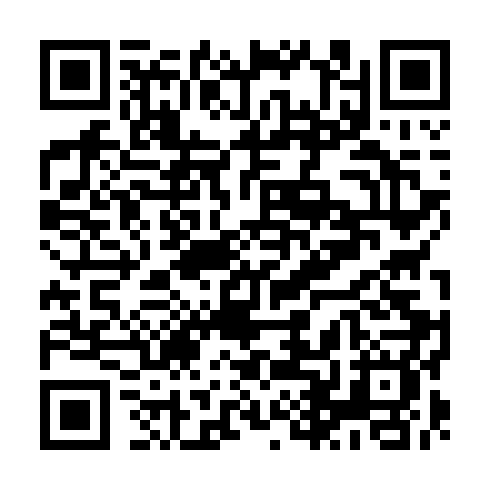

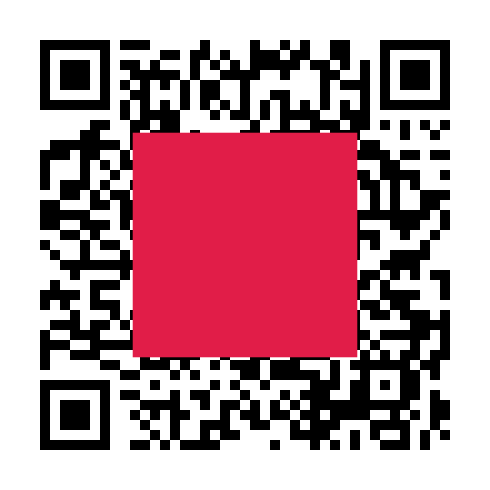
Test run by Toolsque Team in September 2026: one URL, qrcode-generator 1.4.4 for the codes, jsQR 1.4.0 for decoding, clean digital images with no print or camera blur. Real printed codes photographed by a phone usually tolerate less. Results come from a single center-cover test, not every possible damage pattern.
Which level should you use
L: screens only
A code shown in an app, on a slide, or on a TV cannot be scratched, so damage tolerance buys you nothing there. Pay only the 7 percent overhead and keep the modules big. L is also the right call when you are pushing capacity limits, like a long embedded contact card or plain text payload.
M: the default for a reason
M is a common default because 15 percent covers ordinary life: a thumb over one edge, light glare, a slightly soft print. It also suits most indoor print; GS1 UK, the UK arm of the global barcode standards body, suggests M for a product on a shop shelf. If you have no special risk, M is correct and costs only about a fifth of your capacity.
Q: print that gets handled
Paper wears. Packaging gets scuffed in transit, stickers pick up dirt, menus collect stains, and outdoor signs fade. Q's 25 percent budget absorbs that for around 43 percent of capacity, which rarely matters because printed codes usually carry short URLs anyway.
H: logos and hard lives
H exists for codes that will be deliberately covered or predictably damaged: logo overlays, garment tags that go through the wash, asset tags on tools, and anything living outdoors without lamination.
On this site you usually have nothing to set: most of our QR generators, including the labels and asset tag tools, always build at H. The exception is the Excel list generator, which uses M. That keeps its codes less dense, but gives them half the damage budget of H, so use short links if those labels will get rough handling.
Why a logo overlay demands H
A logo in the middle of a QR code is deliberate, pre-spent damage. A typical centred logo covers 10 to 20 percent of the modules. That alone exceeds L's 7 percent budget, and at M it can consume the entire 15 percent, leaving zero margin for a fingerprint or a scratch on top. At H, a 15 percent logo still leaves about half the correction budget for real wear.
Two hard limits apply. Keep the logo under about 15 percent of the area even at H (in our center cover test above, H still scanned at 15% but failed at 20%), and never let it touch the three big corner squares or the smaller alignment squares. Error correction can rebuild data modules, but the scanner needs those locator patterns intact just to find the grid, and no level can recover them.
The same budget is what lets a picture QR code work. Our photo QR code generator always uses level H, and it keeps a face clear only up to the size that still passed its phone camera checks.
Damage tolerance and print size pull against each other
Print size changes what a fixed physical injury costs. A 2 mm wide scrape across a 20 mm label wipes out about 10 percent of the symbol, which already stresses M. The same scrape across a 50 mm poster code costs 4 percent, which even L shrugs off. Bigger prints need less correction, smaller prints need more.
Here is the trap: small labels are exactly where raising the level hurts most, because the version jump shrinks modules that are already tiny. On a 20 mm label, the table above shows H pushing modules down to 0.49 mm, where cheap printing and everyday wear start eating module edges, so you trade scratch resistance for a soft, mushy print. Our guide to blurry QR codes and their fixes covers that failure mode in detail.
The fix is to shorten the data instead of lowering the level. A 28 character short link fits Version 3 (29x29) even at Q, the same grid the 50 character URL needed at L. If you are producing sticker sheets or product labels, build them with our QR code for labels generator and keep the payload short so you can afford Q or H without shrinking modules past the safe zone.
Real failures and what would have saved them
Scratched asset tags. Tags on power tools and IT equipment collect gouges from keys, drill bits, and shelving. A gouge that kills 12 percent of codewords is fatal at L, borderline at M, and routine at Q or H. If you label equipment, generate at H with our asset tag QR generator and laminate where you can. Inspection tags work the same way: the fire extinguisher inspection tag maker puts an H level code on the tag that links to the full maintenance record. If a label does get torn, the QR code repair tool rebuilds a missing corner square so you can read it and reprint a clean copy.
Faded thermal labels. Direct thermal shipping labels fade after months of light and heat, and here error correction barely helps, because fading is global: every module loses contrast at once and the scanner cannot separate dark from light anywhere in the symbol. That failure needs contrast and reprint fixes, not a higher level; our QR code not scanning guide walks through the diagnosis order step by step. To pull the link off a faded label before you reprint it, try a photo in the blurry QR code reader.
Cracked garment labels. Printed care labels crease, abrade, and survive 30 plus wash cycles. Heat pressed codes crack along fold lines, a classic localized damage pattern that H handles well. If you tag clothing you probably need both symbologies: retail checkout runs on barcodes, which our garment barcode generator produces to spec, while any QR carrying care or authenticity info should always be generated at H.
Common questions
Does a higher level make a QR code scan slower?
Not in a way you would notice on a modern phone. What slows scanning is a denser grid printed too small, which is the real price of a higher level on a small label.
Can I change the level of a code that is already printed?
No. The level is part of the pattern itself, so you have to generate a new code and replace the old one. The link inside can stay the same, so nobody who scans it will notice the swap.
Can error correction fix a wrong or dead link?
No. It only rebuilds modules that got damaged, so it always returns exactly what was encoded, typos included. A wrong URL needs a new code, or a redirect on the page the code points to.
The short version
L on screens, M for everyday links and indoor print, Q for print that gets handled or lives outdoors, H for logos and rough handling, and shorten the URL before you ever lower the level. For generators, decoders, and a safe scanner in one place, browse our QR tools, or start with the rest of our guides if you want the background before you build.