
Data Matrix Generator and Reader: Free GS1 DataMatrix Codes
Make a Data Matrix code from text, a link or GS1 product data (GTIN, expiry, batch, serial), or read one from a photo and see what each part means in plain words. PNG, HD and SVG downloads, all in your browser.
Built by Toolsque Team · last updated October 7, 2026 · checked against our testing process
1What goes in the code?
2Shape
3Print size and colours
How to make or read a Data Matrix code
- To make one, choose Text or a link for part numbers, serials and web addresses, or Product label (GS1) for packaging.
- For GS1, type the product number (GTIN), the expiry date, the batch and, if you need one, a serial number. The tool checks the GTIN check digit and adds the separators scanners need.
- Pick square or rectangle, set the size of one square in millimetres, and download a PNG, an HD PNG or an SVG for label software.
- To read one, open Read a Data Matrix and upload a photo, paste a screenshot or use your camera.
- For product codes, the result lists each field in plain words: the product number, the expiry date with how long is left, the batch and the serial number.
What is a Data Matrix code?
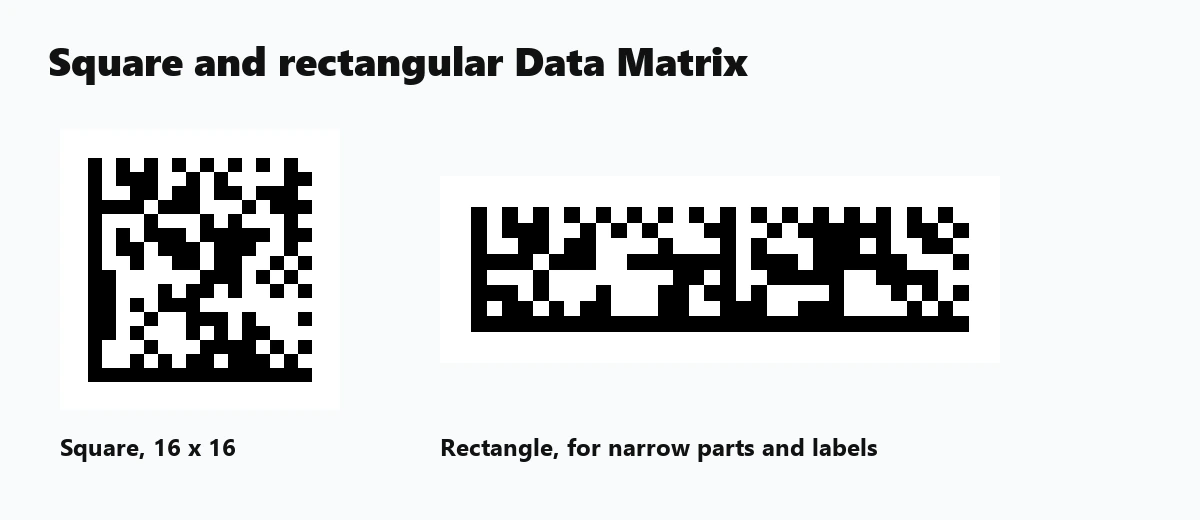
A Data Matrix is a square or rectangular 2D barcode made of small black and white squares, with a solid L-shaped border on two sides and a dotted border on the other two. The solid L tells a scanner where the code is and which way up it sits. It is defined in ISO/IEC 16022, and the version used today is called ECC 200.
Its strength is size. A short serial number fits in a code a few millimetres across, which is why Data Matrix is the code of choice on circuit boards, electronic parts, surgical instruments, aircraft parts and medicine packs. Error correction is built in, so a code with some damage still reads.
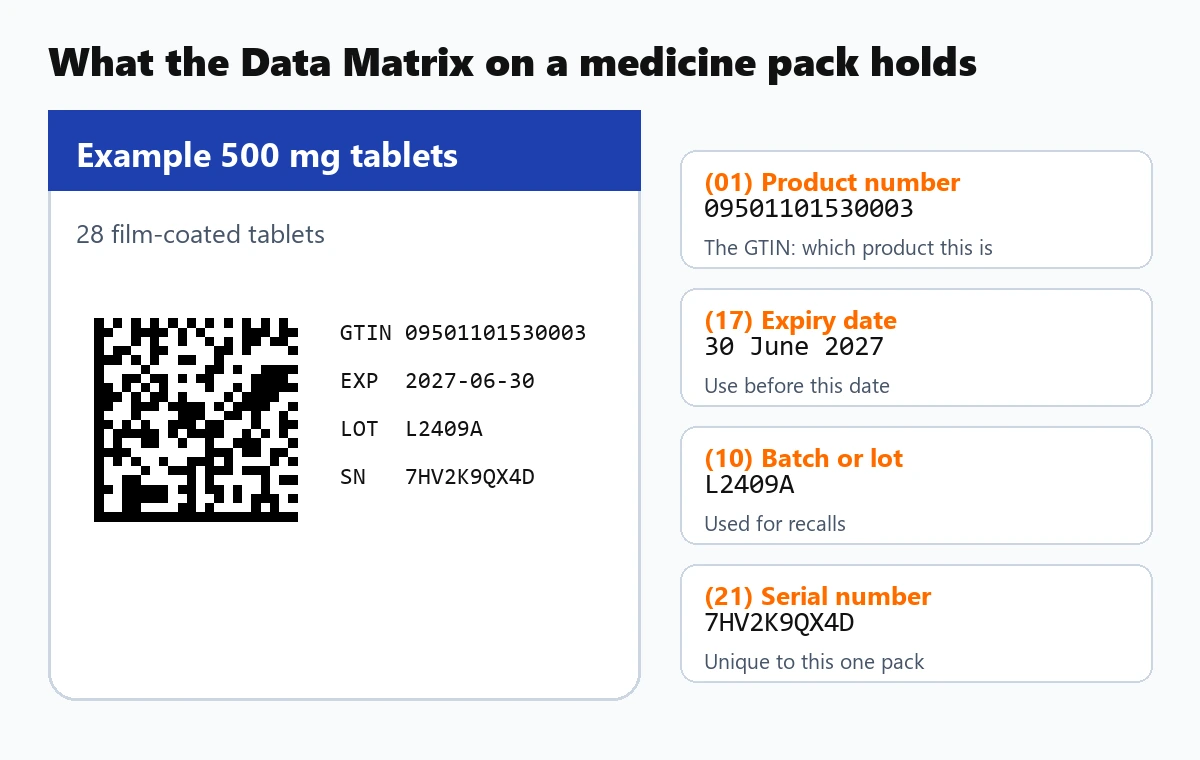
GS1 DataMatrix: the code on medicine packs
GS1 DataMatrix is a Data Matrix that follows the GS1 rules for product data. Each piece of information starts with a short number in brackets, an Application Identifier, that says what it is. Scanners see a special start character and know to split the data into these fields.
| Field | Identifier | What it holds |
|---|---|---|
| Product number (GTIN) | (01) | 14 digits identifying the product; the last digit is a check digit |
| Expiry date | (17) | Year, month and day as YYMMDD; a day of 00 means the end of that month |
| Batch or lot | (10) | Up to 20 letters and digits, used to trace and recall a production run |
| Serial number | (21) | Up to 20 letters and digits, unique to each pack |
| National codes | (710) to (716) | Pharmacy numbers some countries add, such as the PZN in Germany or the CIP in France |
Prescription medicines in the European Union carry this code under the Falsified Medicines Directive, and pharmacies check the serial number before handing the pack over. In the United States the Drug Supply Chain Security Act asks for the same kind of product identifier on prescription drug packages.
Read the Data Matrix on a medicine box
Open Read a Data Matrix, take a close, straight photo of the small square code on the pack, and the tool shows what is inside in plain words: the product number, the expiry date with how many months are left, the batch and the serial number. If the pack has expired, it says so in red.
The batch number is the one to check when a recall is announced. Nothing you scan leaves your phone or computer; the code is read inside your browser.
Data Matrix vs QR code
| Data Matrix | QR code | |
|---|---|---|
| Finder pattern | Solid L on two sides | Three large corner squares |
| Shapes | Square or rectangle | Square |
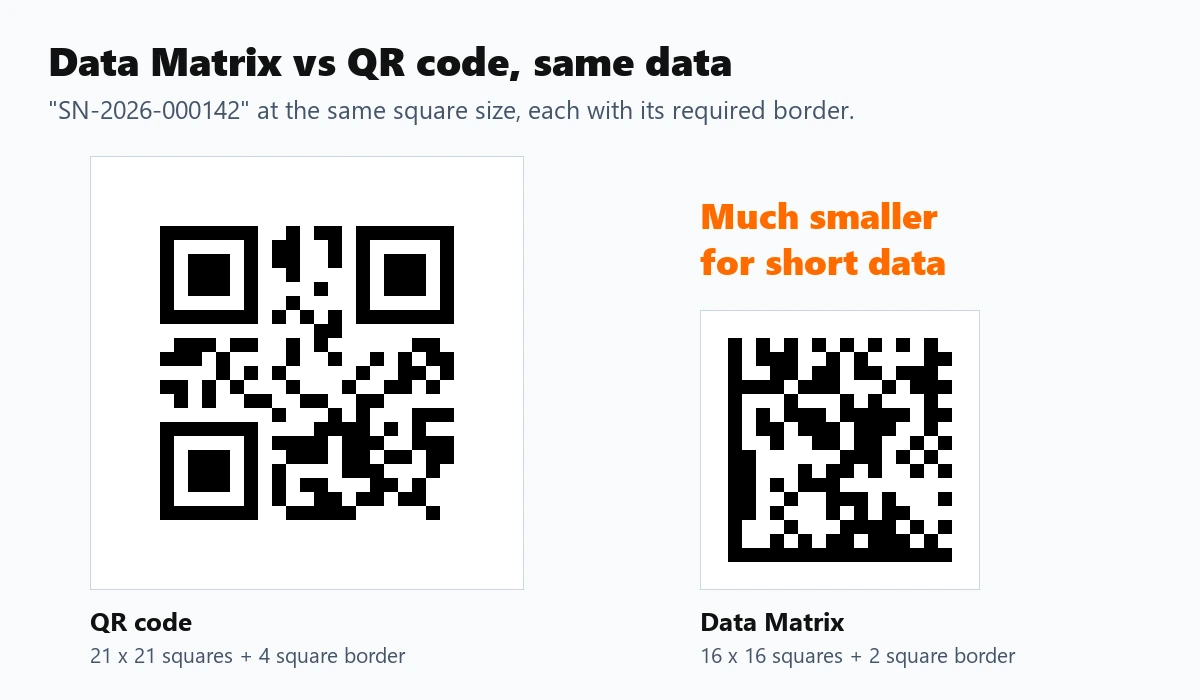
| Size for short data | Smaller | Larger |
| Most data | 3,116 digits or 2,335 capitals and digits | 7,089 digits or 4,296 capitals and digits |
| Used on | Parts, electronics, medicine, industry | Marketing, payments, menus, links |
| Phone cameras | Supported by many scanning apps; some camera apps read only QR codes | Read by almost every phone camera |
Choose Data Matrix for small parts and industrial or healthcare labelling, and a QR code for anything the public will scan with a phone.
Size and printing
A Data Matrix needs a clear border of at least one square on every side. Give each square at least 0.25 mm on a good printer, or 0.4 mm and up on thermal labels, and print dark on light. Codes marked directly onto metal or plastic by laser often come out light on dark; the reader here tries the image inverted as well, so it reads those too.
The SVG download carries the real print size in millimetres, so it lands at the right size in label and packaging software.
Related tools
Need the product number as a regular barcode? The EAN-13 barcode generator makes the retail version. To find which country issued a barcode prefix, use the barcode country codes lookup. For codes even smaller than a Data Matrix, see the Micro QR code generator, and to scan other barcodes from a picture, the online barcode scanner. If you would rather check GTINs from your own code, the free GS1 barcode API validates check digits and looks up prefixes over plain HTTP, with no key and no signup.
For long, narrow labels, or when laser scanners must read the code, a PDF417 barcode is the usual alternative to Data Matrix.
For tickets shown on phone screens, or a code with no room for a blank border, an Aztec code is the usual choice.
Frequently Asked Questions
What is a Data Matrix code?
A square or rectangular 2D barcode with a solid L-shaped border on two sides. It holds text, numbers or product data in a very small space, which is why it is used on electronic parts, tools and medicine packs.
How do I read a Data Matrix code?
Open Read a Data Matrix above and upload a photo, paste a screenshot or use your camera. Take the photo close up and straight on. The text appears straight away, and GS1 product codes are split into named fields.
What does the Data Matrix on a medicine box contain?
Usually the product number (GTIN), the expiry date, the batch number and a serial number unique to that pack, and in some countries a national pharmacy number. The reader here shows each one in plain words.
How do I make a GS1 DataMatrix?
Choose Product label (GS1), type the GTIN, the expiry date, the batch and the serial number, and download the code. The tool checks the GTIN check digit and adds the start character and separators GS1 scanners expect.
What is the difference between Data Matrix and QR code?
Data Matrix has an L-shaped border and can be rectangular, and it is smaller for short data. QR codes have three corner squares, hold more data and are read by almost every phone camera.
Can a phone scan a Data Matrix code?
Many phone scanning apps can, but some built-in camera apps only read QR codes. This page reads Data Matrix codes from a photo or your camera in any modern browser.
Is it free, and is anything uploaded?
It is free with no signup. Codes are made and read in your browser, so nothing you type or scan is sent to a server, and the downloads can be used commercially.