
QR Code Repair Online: Fix a Damaged, Torn or Broken QR Code
Repair a damaged QR code online: upload a photo of a torn, scratched or smudged code and it is found automatically, the missing corner squares are rebuilt, the content is decoded, and you download a clean PNG to reprint. Runs in your browser.
Built by Toolsque Team · last updated October 10, 2026 · checked against our testing process
Or press Ctrl+V to paste a screenshot. Shoot the code square on and fill the frame.
Blurry rather than torn? The blurry QR code reader runs 9 cleanup steps automatically and is the better first try.
How to repair a damaged QR code
- Upload or paste a photo. Shoot the code square on and fill the frame. A screenshot works too.
- Let it find the code. The tool outlines the code by itself, even with a corner torn off, and rebuilds it straight away. If it cannot, tap the code in the photo, then drag the 4 blue dots onto the outer corners; a magnifier shows exactly where each dot sits.
- Repair. Every square is sampled, the 3 corner squares and timing lines are redrawn, and sizes from version 1 to 10 are tried until one decodes.
- Check and download. Compare before and after, check where the link goes, then download the clean PNG and reprint it.
What this QR code repair actually fixes
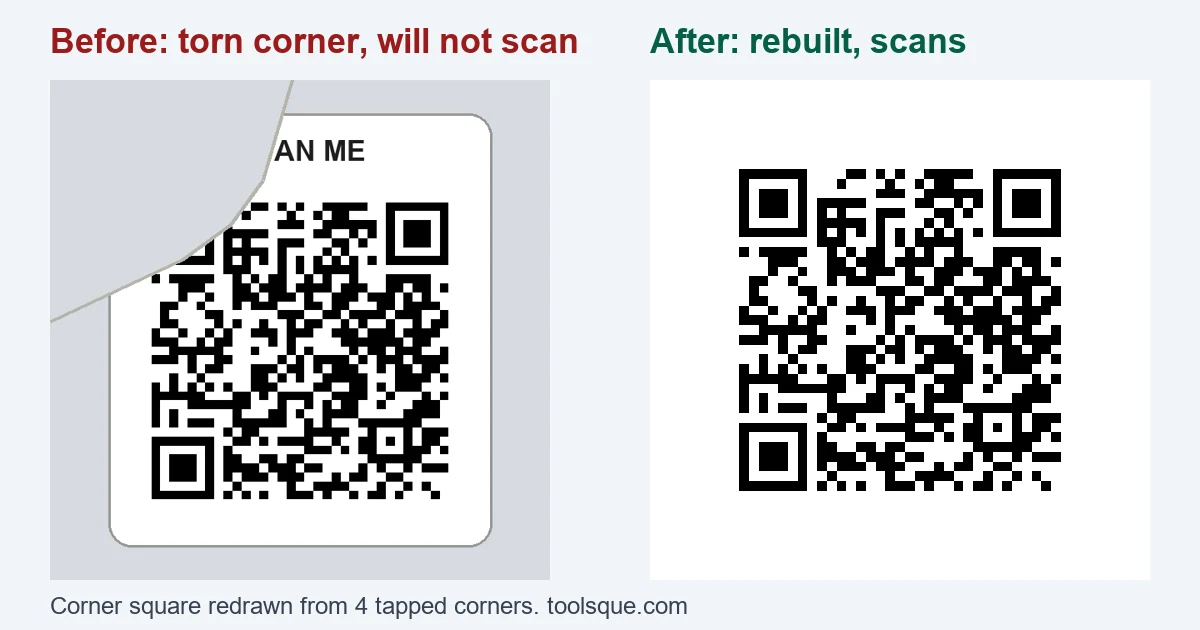
Most online QR repair tools decode the image first and then generate a fresh copy. That only helps when a scanner could already read it. A code with a torn corner is different: scanners find a QR code by its 3 big corner squares (finder patterns), so when one is missing, no scanner even knows a code is there. The data squares are usually still fine.
Every QR code has the same corner squares, the same dotted timing lines between them, and the same small alignment square near the bottom right. Those parts carry no data, so they can be redrawn exactly. You show the tool where the 4 corners are, it rebuilds the fixed parts, and the decoder gets a complete code again.
What no tool can repair
Data squares that are gone are a different problem. QR codes carry Reed Solomon error correction, which can rebuild a share of the data squares depending on the level chosen when the code was made:
| Level | Damage it can rebuild |
|---|---|
| L | About 7% |
| M | About 15% |
| Q | About 25% |
| H | About 30% |
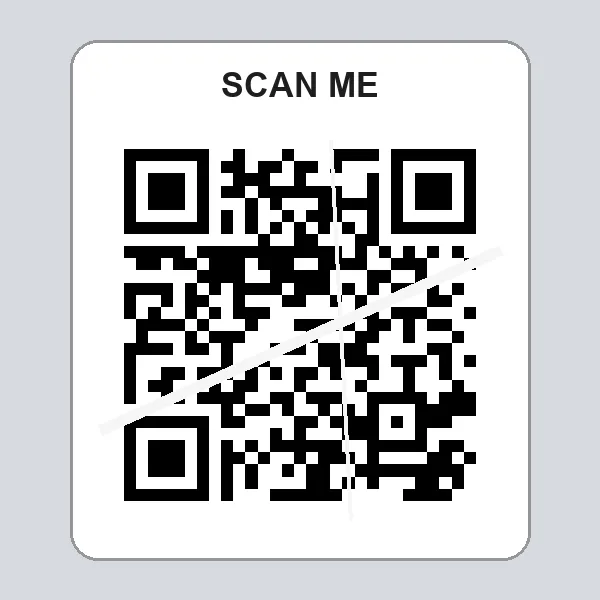
Scratches, ink smears and missing chunks in the middle of a code use up that budget. Past it, the information is simply not on the sticker any more, and any site that claims otherwise is guessing. The same scratches that a level H code survives destroy a level L code completely:
See QR code error correction levels for how each level trades size for toughness.
Torn, smudged, faded or blurry: which tool to use
| Damage | Start with |
|---|---|
| Torn or missing corner | This repair tool |
| Corner covered by a sticker, tape or dirt | This repair tool |
| Blurry or out of focus photo | The blurry QR code reader |
| Faded, low contrast or wrinkled label | The blurry QR code reader (contrast and threshold steps) |
| Scratched or smudged across the middle | Either; it depends on the error correction level |
Prevent the next damaged QR code
- Use error correction level H on anything stuck to equipment, vehicles or outdoor signs.
- Print on vinyl or polyester labels, or laminate paper ones. Paper tears and fades.
- Keep the quiet zone, the white border around the code, at least 4 squares wide.
- Keep the link short so the code has fewer, larger squares.
For equipment and inventory labels, the asset tagging guide covers label materials and placement.
Frequently Asked Questions
Can a damaged QR code be repaired?
Often, yes. If the damage is to a corner square, the timing lines or the alignment square, those parts are the same in every QR code and can be redrawn. Damage to the data squares can only be recovered up to the error correction level of the code, about 7% at level L up to about 30% at level H.
How do I fix a QR code with a missing corner?
Upload a photo. The tool finds the code by its remaining corner squares and edges, so most torn codes are repaired with no taps at all. If it cannot find it, tap the code and drag the 4 dots onto its outer corners (put the torn one where the corner would be), then press Repair. The missing corner square is redrawn and the code is decoded. Download the rebuilt PNG to reprint it.
Is my image uploaded anywhere?
No. The repair runs in your browser with JavaScript. The photo and the decoded content stay on your device.
Why does the repair fail on my code?
Usually one of two things: the corner dots are off (they should sit on the outer edge of the black squares, not the white border), or too many data squares are destroyed for error correction to fill in. Zoom in and move the dots first. If it still fails, ask whoever made the code for the original link or file.
Will the repaired QR code go to the same link?
Yes. The download is the rebuilt code itself, decoded from your sticker, so it contains exactly the same content. Always check the decoded link before you reprint or open it.
What QR code sizes does it handle?
Versions 1 to 10, which is 21 by 21 up to 57 by 57 squares. That covers most links, WiFi codes and asset tags. Very long content makes larger codes that are not supported.