
Micro QR Code Generator: Free Micro QR and rMQR Codes
Make Micro QR (M1 to M4) and rectangular rMQR codes for small parts and narrow labels. The smallest symbol that fits your data is picked for you, with the print size in mm and PNG, HD and SVG downloads.
Built by Toolsque Team · last updated October 7, 2026 · checked against our testing process
1Your data
2Code type
3Print size and colours
How to make a Micro QR code
- Type your data: a part number, serial, lot code or short link. The counter shows which mode it uses; capitals and digits fit more than lowercase.
- Pick the code type: Micro QR for a tiny square, or rMQR for a long thin strip that fits a narrow label or the edge of a part.
- Leave the size on automatic, or choose a Micro QR version (M1 to M4) or an rMQR height limit. Error correction L packs in the most data; M is a good default.
- Set the module size in mm to see the printed size, including the 2 module quiet zone.
- Download a PNG, an HD PNG 2000 px on the long side, or an SVG that carries the real print size for label software.
- Test it with the scanner that will read it. Most phone camera apps do not read Micro QR or rMQR.
What is a Micro QR code?
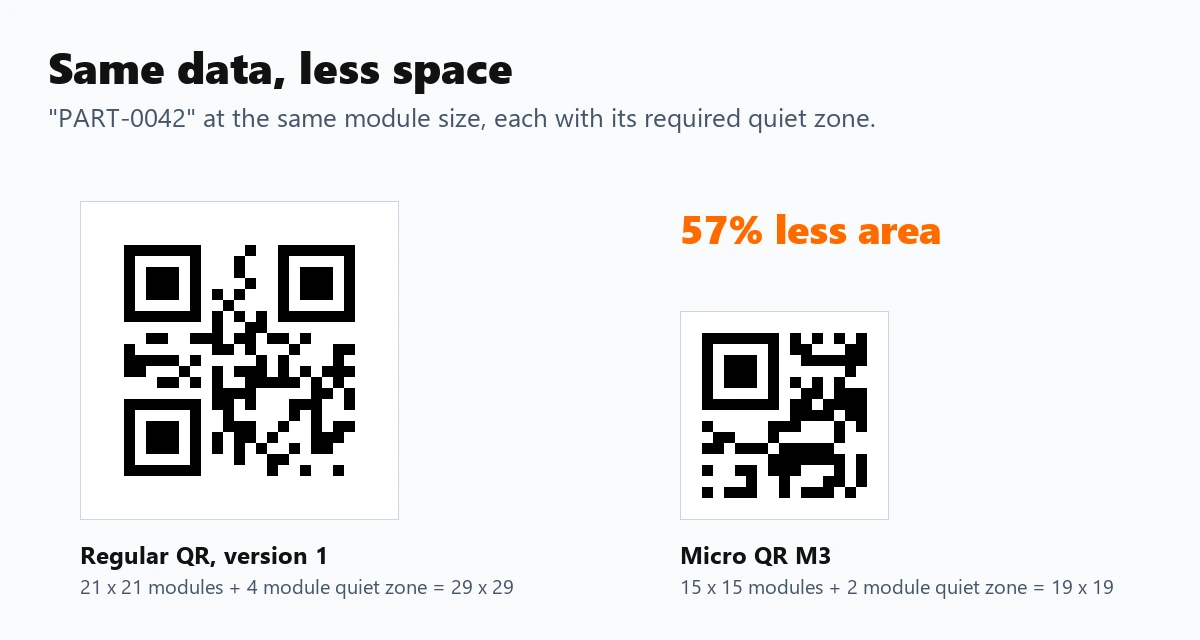
Micro QR is a smaller cousin of the QR code, defined in the same standard (ISO/IEC 18004). It has one finder square instead of three and needs a quiet zone only 2 modules wide instead of 4, so the same short piece of data takes far less space. It comes in four versions, from M1 at 11 by 11 modules to M4 at 17 by 17.
It is built for places a normal QR code will not fit: circuit boards, electronic components, small medical and lab items, jewellery tags and tiny product labels.
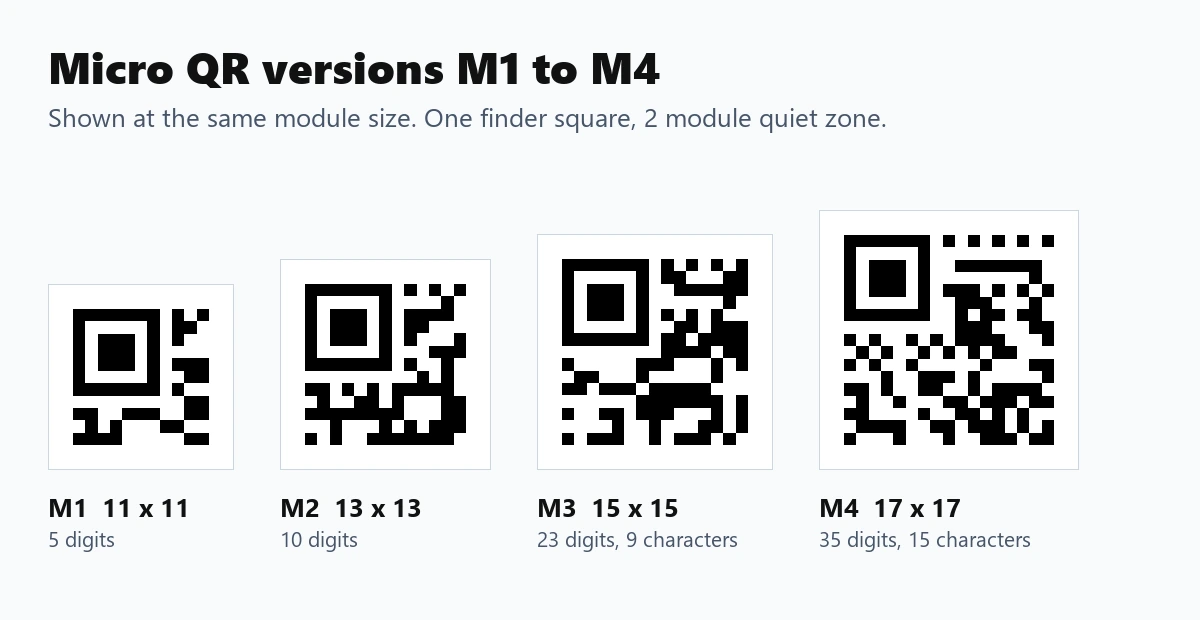
Micro QR code capacity
Capacity depends on the version, the error correction level and the kind of characters. Digits pack tightest, then capitals with digits and a few symbols, then anything else, which includes lowercase letters.
| Version | Size | Error correction | Digits | Capitals and digits | Any text |
|---|---|---|---|---|---|
| M1 | 11 x 11 | Detection only | 5 | none | none |
| M2 | 13 x 13 | L / M | 10 / 8 | 6 / 5 | none |
| M3 | 15 x 15 | L / M | 23 / 18 | 14 / 11 | 9 / 7 |
| M4 | 17 x 17 | L / M / Q | 35 / 30 / 21 | 21 / 18 / 13 | 15 / 13 / 9 |
Micro QR has no level H, and M1 can only detect errors, not repair them. If your data does not fit, write it in capitals, drop the error correction to L, or switch to rMQR.
What is an rMQR code?
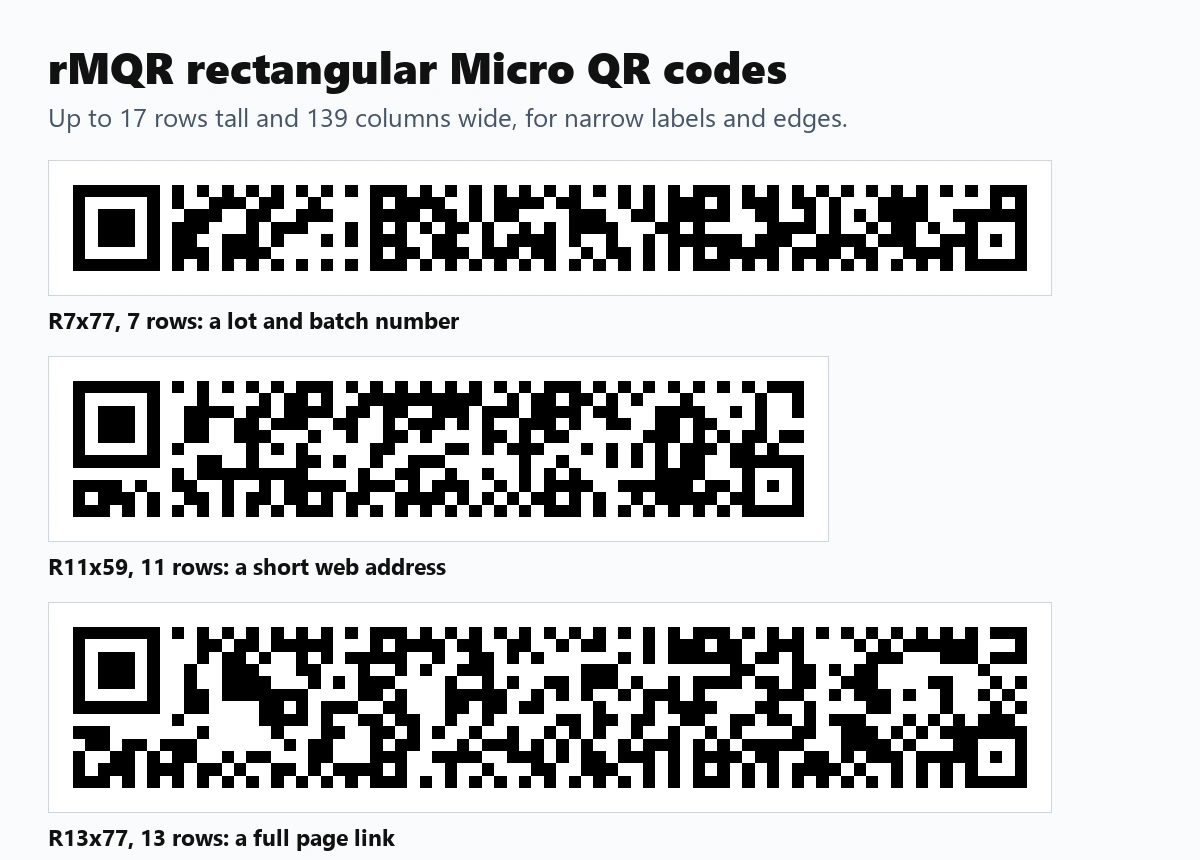
rMQR, the rectangular Micro QR code, is a newer standard (ISO/IEC 23941) for long, narrow spaces. It comes in 32 sizes from 7 to 17 rows tall and 27 to 139 columns wide, so a full web address can sit on a strip only a few millimetres high.
| rMQR size | Error correction | Digits | Capitals and digits | Any text |
|---|---|---|---|---|
| R7x43 (smallest) | M / H | 12 / 5 | 7 / 3 | 5 / 2 |
| R13x77 | M / H | 124 / 66 | 75 / 40 | 51 / 27 |
| R17x139 (largest) | M / H | 361 / 178 | 219 / 108 | 150 / 74 |
Micro QR vs rMQR vs regular QR code
| Micro QR | rMQR | Regular QR | |
|---|---|---|---|
| Shape | Square, 11 to 17 modules | Rectangle, 7 to 17 rows | Square, 21 to 177 modules |
| Finder squares | 1 | 1 plus a smaller corner mark | 3 |
| Quiet zone | 2 modules | 2 modules | 4 modules |
| Most data | 35 digits or 15 characters | 361 digits or 150 characters | 7,089 digits or 2,953 characters |
| Phone cameras | Mostly no | Mostly no | Yes |
| Best for | Tiny parts and labels | Narrow labels, edges, cables | Anything the public scans |
How small can you print it?
Size comes down to the module, one small square of the code. Give each module at least 3 printer dots: about 0.25 mm on a 300 dpi printer and 0.38 mm on a 203 dpi thermal label printer. Laser marking and high resolution printing can go smaller, as long as the scanner that reads it can resolve the module.
A Micro QR M3 at 0.25 mm per module is under 5 mm square including its quiet zone. Set the module size in the tool and it shows the printed size in millimetres and inches, and the SVG download carries that size so it drops into label software at the right width.
Which scanners read Micro QR and rMQR?
Many industrial and handheld 2D barcode imagers read Micro QR, and newer models also read rMQR, often as an option that has to be switched on. Most phone camera apps do not read either, and phone scanning apps vary. Check your scanner's specification for Micro QR or rMQR before you print a batch, and test a printed sample.
If the code is meant for customers with phones, use a regular QR code. For labels and asset tags read by your own team, see the QR code generator for labels and QR codes for asset tags. The QR code size chart covers sizing for regular codes.
Need more data in a small space, read by almost every industrial scanner? A Data Matrix code is the other common choice for parts and labels.
Need the opposite of tiny, with lots of data in a long, narrow strip? A PDF417 barcode holds up to about 1,850 characters, and laser scanners can read it.
Frequently Asked Questions
What is the difference between Micro QR and QR code?
Micro QR has one finder square instead of three, a 2 module quiet zone instead of 4, and only four small versions from 11 by 11 to 17 by 17 modules. It holds far less data, at most 35 digits or 15 characters, but takes much less space.
Can a phone scan a Micro QR code?
Usually not with the built in camera app. Micro QR and rMQR are mainly read by industrial and handheld barcode scanners and some dedicated scanning apps. Use a regular QR code for anything the public will scan.
How much data can a Micro QR code hold?
Up to 35 digits, 21 capital letters and digits, or 15 characters of other text, in version M4 with error correction L. Smaller versions hold less; M1 holds 5 digits.
What is rMQR?
rMQR is the rectangular Micro QR code, standardised as ISO/IEC 23941. It comes in 32 sizes from 7 to 17 rows tall and up to 139 columns wide, and holds up to 361 digits or 150 characters.
Which error correction level should I use?
M is a good default. Use L when the data only just fits, and Q (Micro QR M4 only) or H (rMQR) when the code may be scratched or worn. M1 has no error correction, only error detection.
Is the generator free and private?
Yes. The codes are made in your browser, nothing is uploaded, there is no account, and you can download PNG, HD PNG and SVG files for commercial use.