
Photo QR Code Generator
Turn any photo into a QR code that still looks like your picture. Keep the face clear, pick a look, and download once the scan check passes. It runs in your browser, so your photo is never uploaded.
Built by Toolsque Team · last updated October 8, 2026 · checked against our testing process
How to make a QR code from a photo
- Choose what the code opens: a link, a phone number to call, an email address with an optional subject, or plain text. A short link gives a cleaner picture, because it needs fewer squares.
- Add your photo: upload a JPG or PNG, drop it on the code, or try the Vermeer and Van Gogh samples. Portraits, pets, products and logos all work.
- Pick a look: Colour keeps your photo's own colours, Gradient adds a two colour finish, Greyscale makes a black and white photo QR code, and Circle puts your picture in a round frame in the middle.
- Place the face: with Keep the centre clear switched on, drag the clear area onto the face. Drag anywhere else on the code to move the photo, and use Zoom under Adjust to crop in.
- Wait for the green check: each look is decoded with simulated phone cameras before you can download it. If a look will not scan with your picture, the tool says so and the download stays off.
- Download the PNG for screens or the print JPG for paper, then scan a printed proof with your own phone before you print a full run.
Photo QR code examples
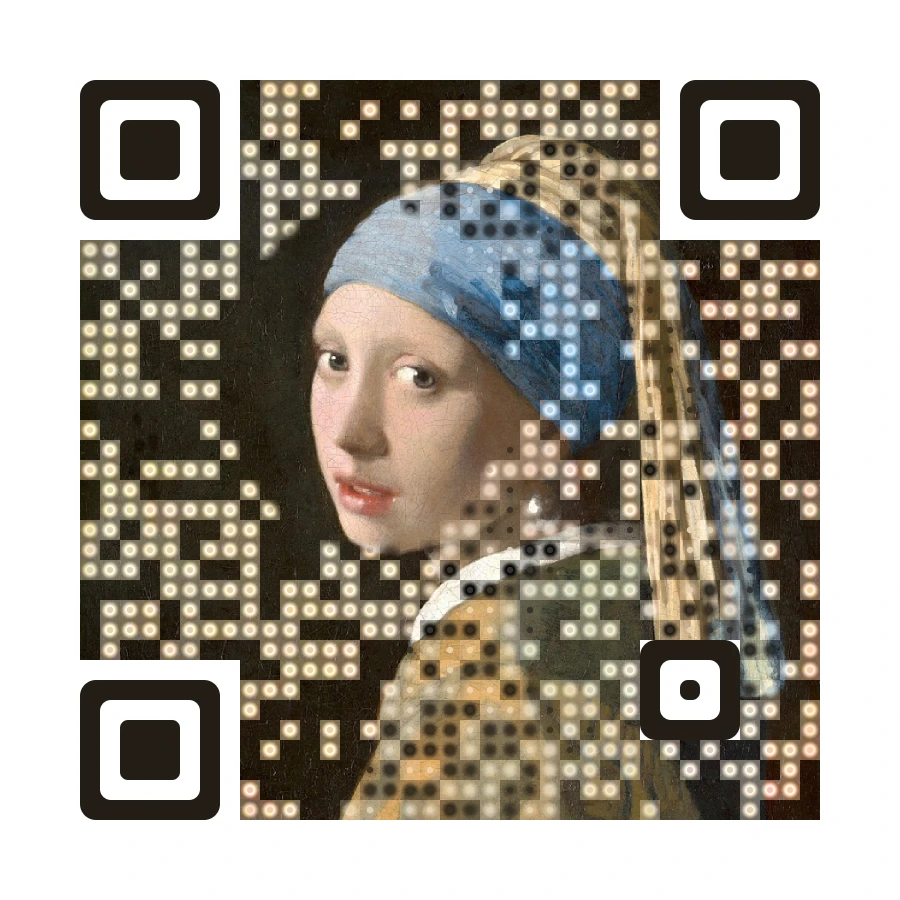
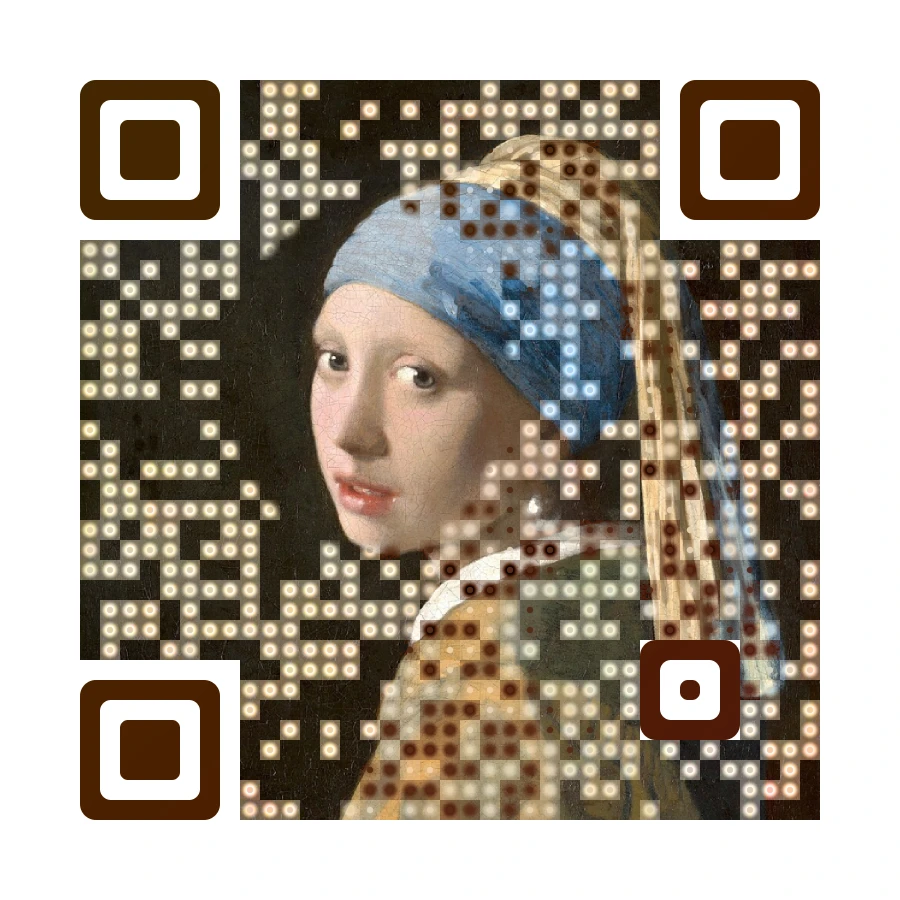
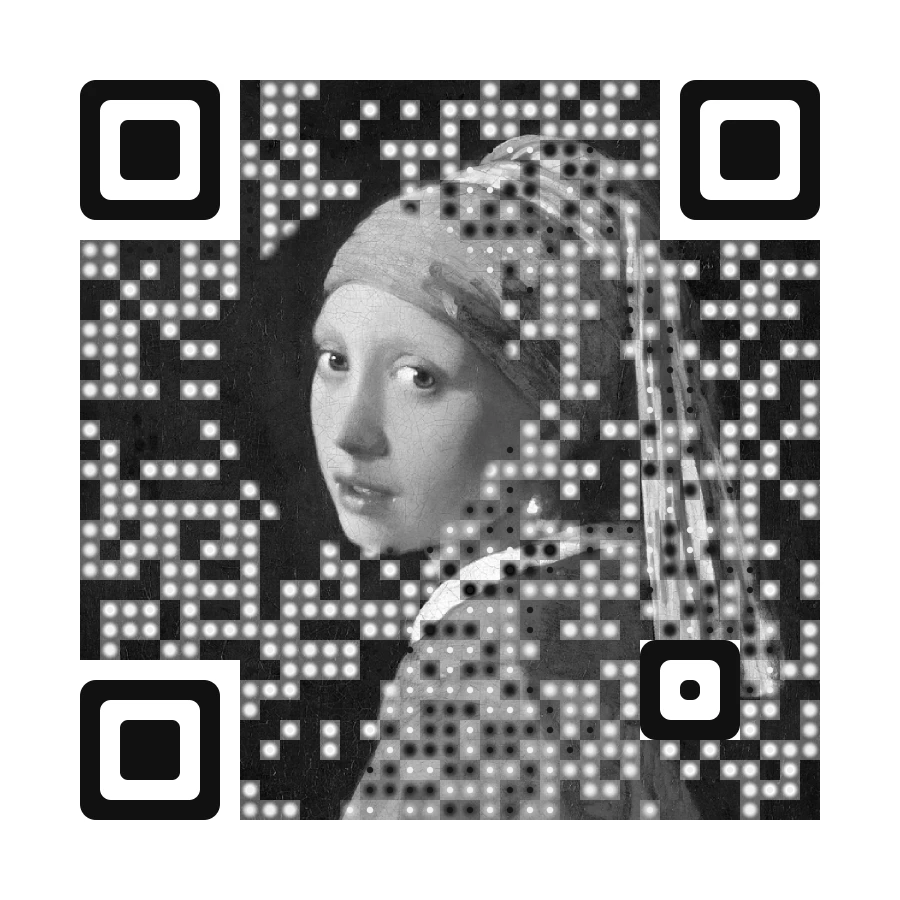
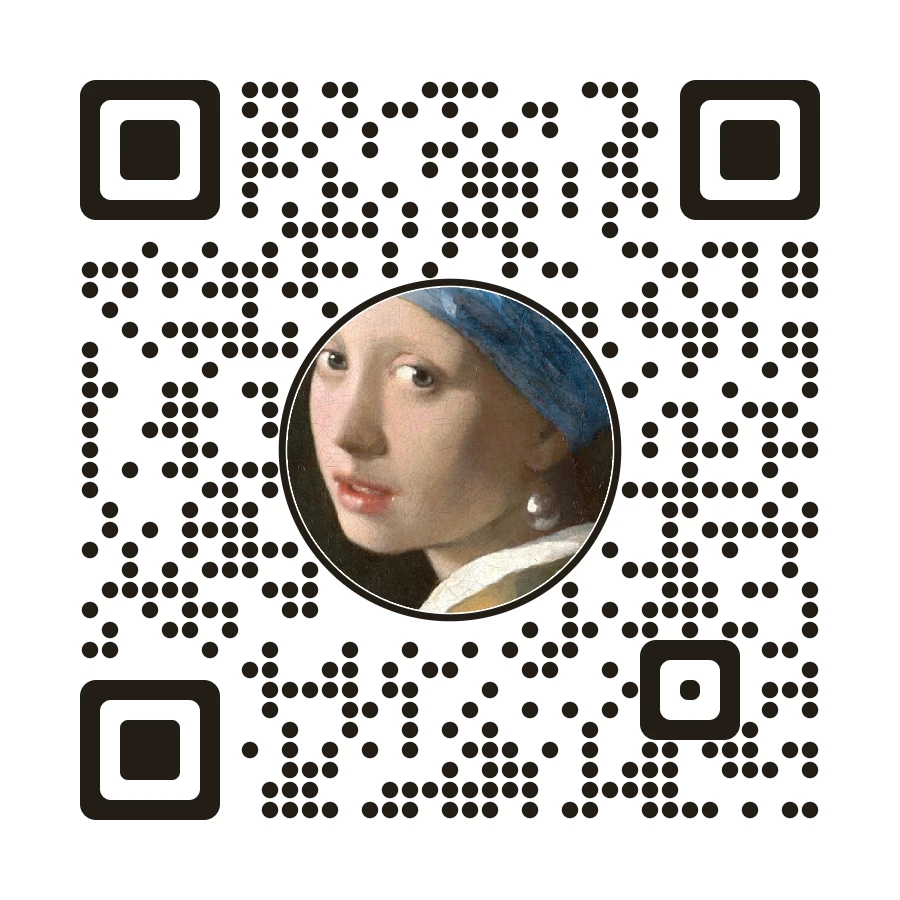
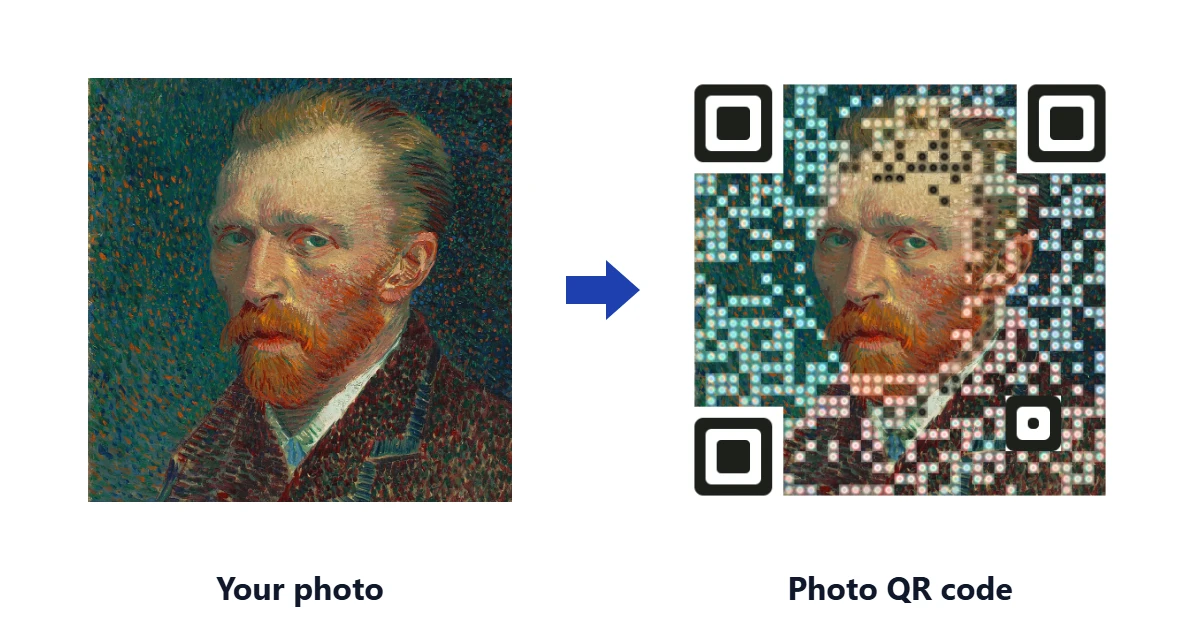
Each example below was made with this tool from two public domain paintings: Vermeer's Girl with a Pearl Earring and a Van Gogh self portrait. Every one passed the tool's scan check, and scanning any of them opens this page.
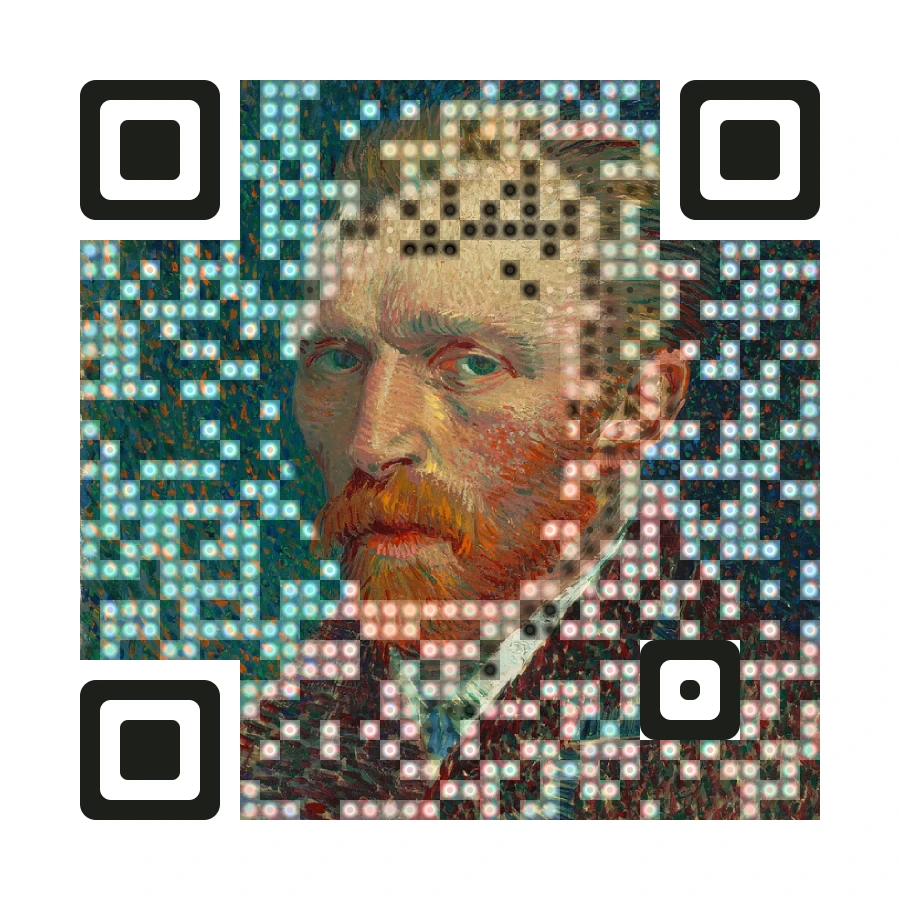
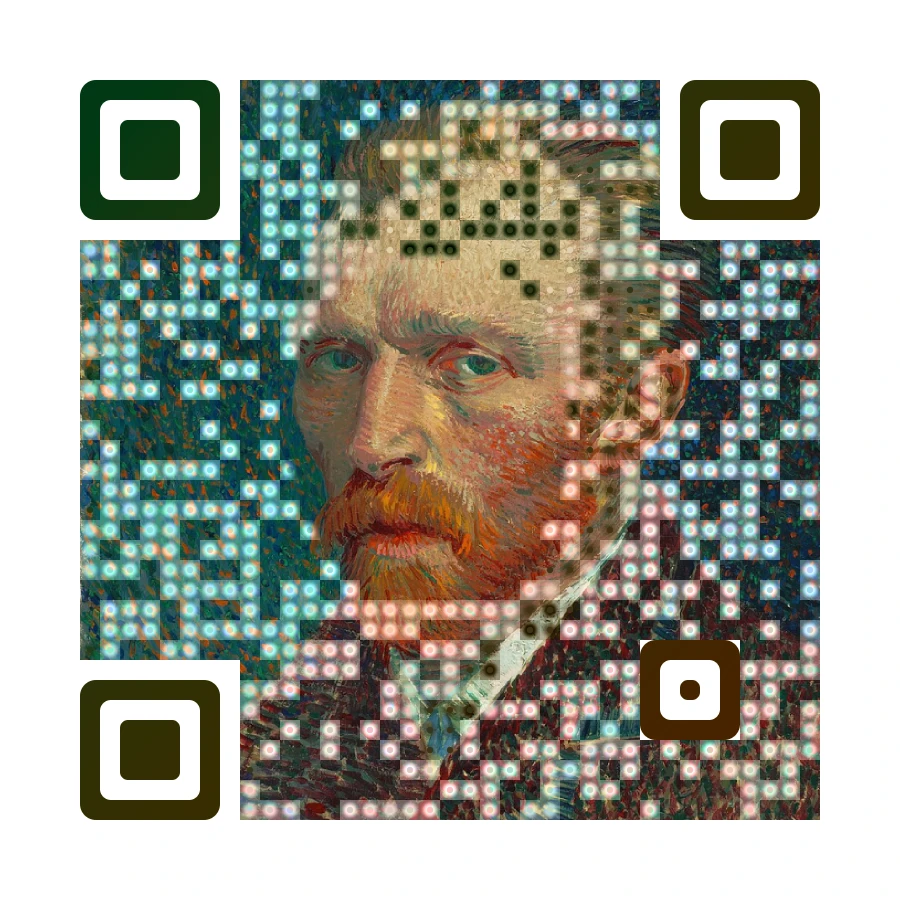
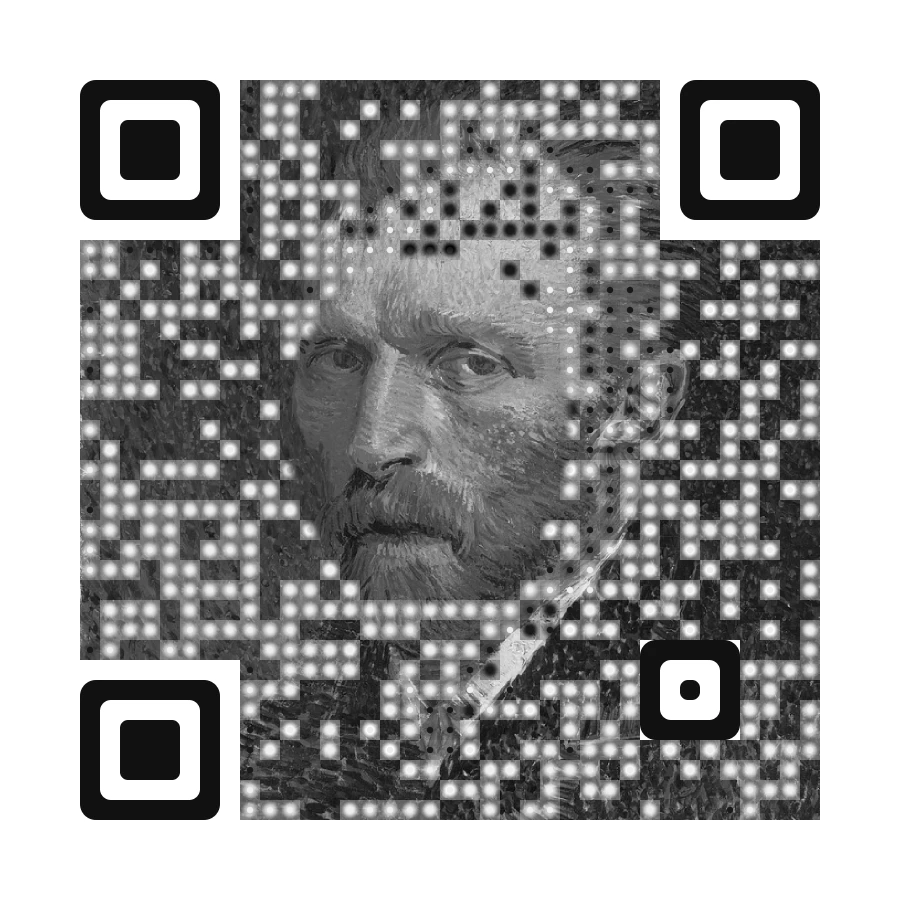
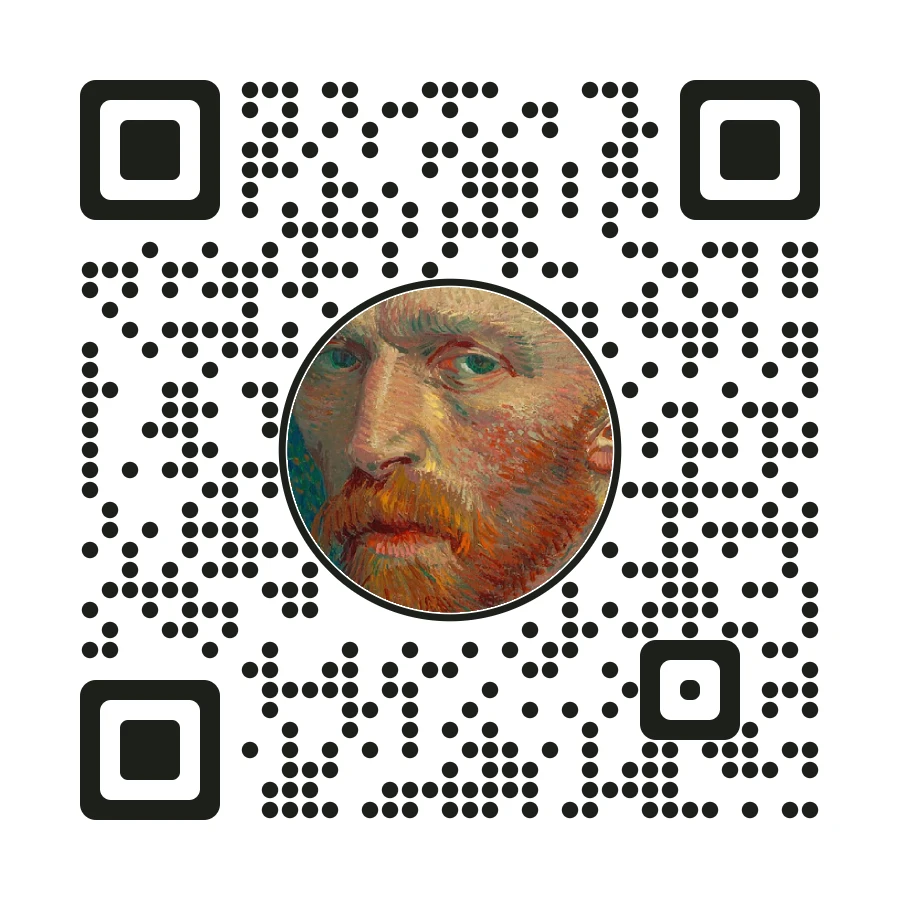
Turn a picture into a QR code that still looks like the picture
Most ways of putting a picture into a QR code cover the photo with a grid of black and white squares. You can tell there was a picture once, but the code wins. This photo QR code generator works the other way round. It starts from your photo and changes it only as much as a phone camera needs.
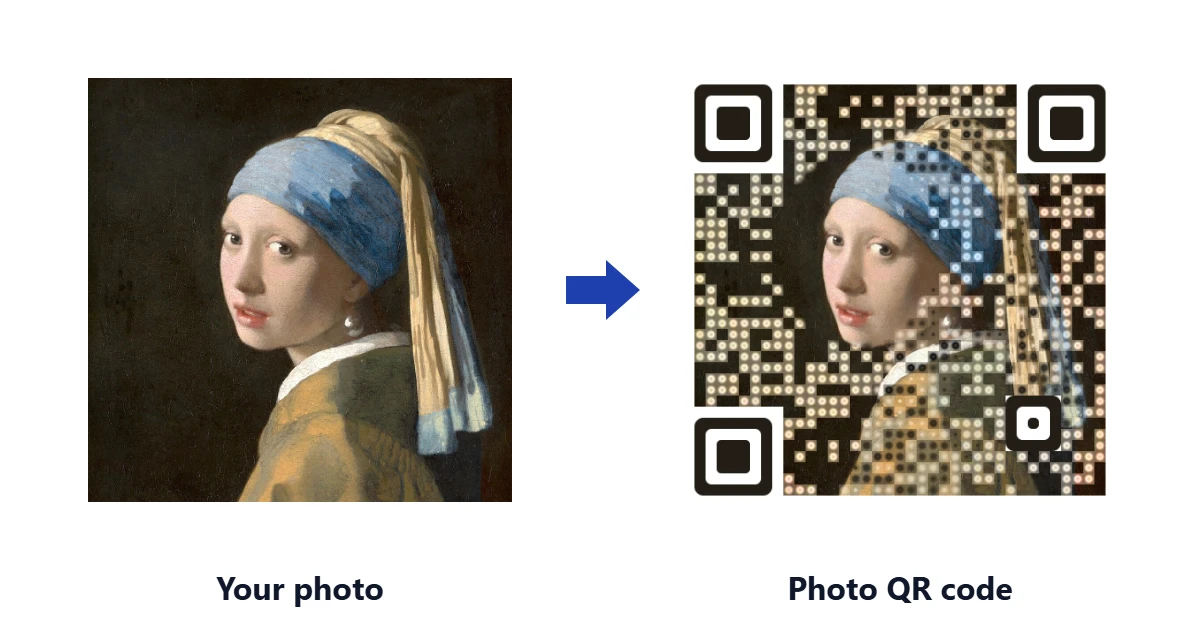
A QR code is a grid of dark and light squares. A phone reads it by looking at the middle of each square and deciding whether it is dark or light. So the tool goes through your photo square by square. Where the photo is already dark enough for a dark square, or light enough for a light one, it leaves the photo alone. Where it is not, it nudges that patch darker or lighter, keeping the photo's own colour, and adds a small dot in the middle if the patch needs more help.
So if you were looking for a QR code with picture inside, or a picture QR code that does not look like a barcode stuck on top of a photo, this is the difference. The result reads as a photo first and a QR code second. Faces, skies and backgrounds stay recognisable, and the code shows up as a soft pattern of dots in the same colours as the picture. It is the closest a normal QR code gets to the "QR codes that look like pictures" you see in design galleries, without any AI and without your photo leaving your device.
Photo with a QR code, or a QR code with the photo inside?
People mean two different things when they search for a photo with a QR code:
- A photo next to a QR code, for example a printed photo with a small code in the corner that links to an album. Any QR code generator does that; our free QR code generator or the URL to QR code tool will make the code, and you place it on the photo yourself.
- A QR code with the picture inside it, where the photo and the code are one image. That is what this tool makes. The Colour, Gradient and Greyscale looks put the picture inside the whole code. The Circle look puts the picture in the middle of the code in a round frame, which is what most people mean by a QR code with a picture in the middle.
Either way, the code still opens your link. The picture is decoration that the scanner learns to read through.
QR code art: four looks to choose from
Every look is built and scan checked as soon as you add a photo, so you can compare them side by side before you choose.
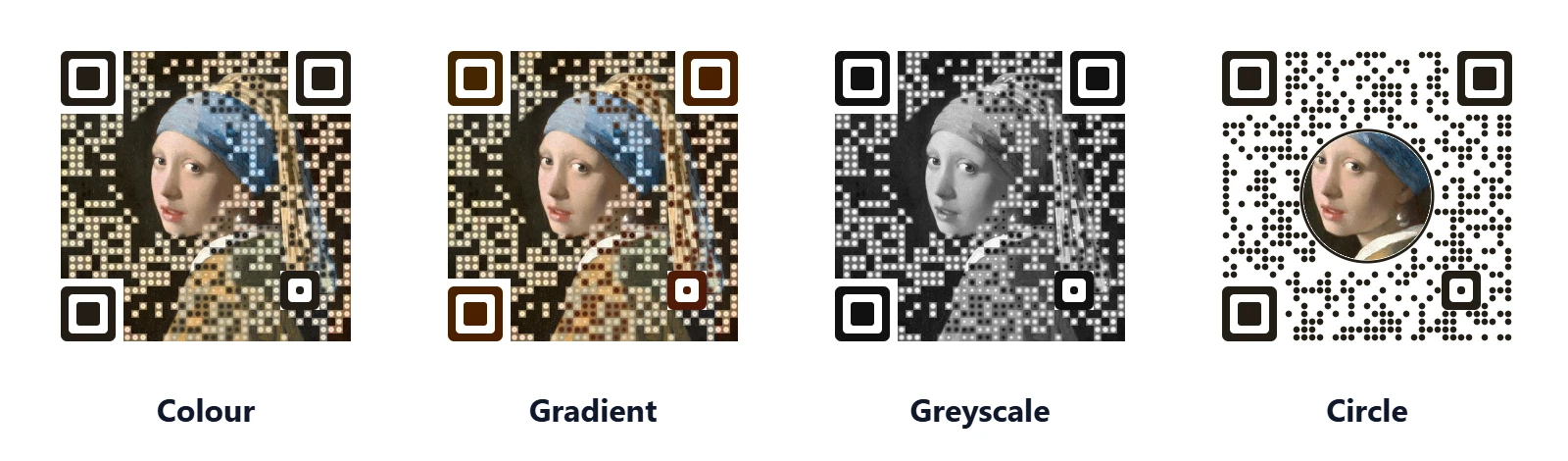
| Look | What it does | Best for |
|---|---|---|
| Colour | Keeps your photo's own colours. Dark squares become deeper shades of the picture, light squares become pale tints. Areas with no colour of their own, like a black background, borrow the picture's main accent colour. | Portraits, pets, products, anything with strong colour |
| Gradient | Like Colour, but the dark dots and the three corner squares fade between two colours taken from the picture. | A more designed, branded finish |
| Greyscale | A black and white photo QR code. Same method, in shades of grey. | One colour printing, stamps, engraving proofs, a classic look |
| Circle | Your picture in a round frame in the centre, with round dots around it. | The safest scan, small prints, very busy photos |
If you came here for a beautiful QR code rather than a photo QR code as such, try a simple picture with a clear subject and a plain background. The fewer tiny details there are, the more of the picture survives. For more on what colours do to a code, see can QR codes be coloured.
Keep the face clear: portrait QR codes
A portrait QR code works best when the face itself is left alone. With Keep the centre clear switched on, the tool leaves an oval area in the middle of the picture completely untouched, with a soft edge so it blends into the rest. On the preview you can drag that clear area onto the face, wherever it sits in your photo.
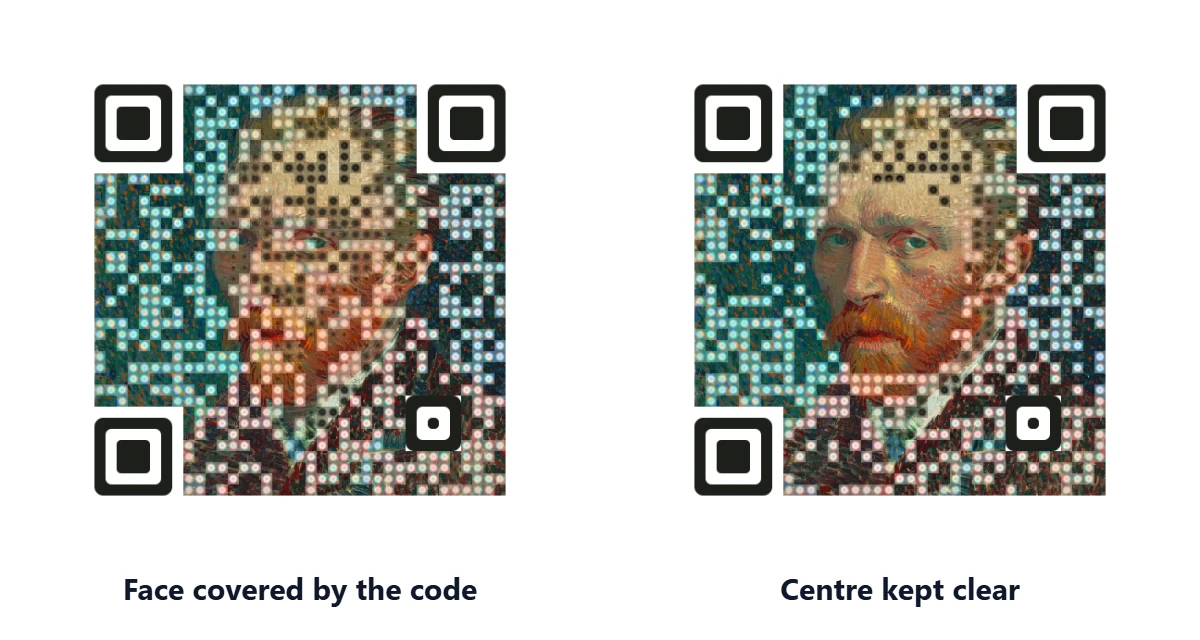
This works because every QR code carries spare data. At the highest repair level, which this tool always uses, a phone can rebuild a good share of the code even when part of it is missing or covered. The clear area spends some of that spare data on keeping the face clean. The tool keeps the clear area below the size that still passed every camera check, and if your picture cannot spare it, it says so and fills that area with code like the rest.
The same idea makes QR code paintings and illustrated portraits work: a clean focal point, with the code doing its job around it. You can read more about the spare data in QR code error correction levels.
Will a photo QR code scan? How every code is checked
Artistic QR codes have a reputation for looking great and then failing at the shop counter. That usually happens because nobody checked them under real conditions. This tool will not let you download a look until it has passed its own checks:
- Each design is decoded by a QR reader at several simulated camera distances, from close up to far away.
- The simulated camera is tilted, up to 38 degrees, and the image is blurred the way a real phone camera blurs it.
- Colour looks are checked twice, because phones turn colour into grey in two different ways. A dark blue that reads as dark on one phone can read as mid grey on another.
- The three corner squares are always drawn solid. A phone uses them to find the code, so they never carry picture.
Under Adjust you can choose how careful to be. Picture first keeps the most photo and asks for a bigger print. Balanced is the default. Scan first gives up some picture for the most dependable scan. These are still simulations, so print one proof and scan it with your own phone before an order of hundreds. Our guide on how to test a QR code before printing covers the quick checks, and QR code not scanning covers what to do if one fails.
What size to print a photo QR code
A photo QR code needs a little more room than a plain one, because the dots are softer. Under the preview the tool tells you the smallest safe width for your design and safety setting, based on scanning from about 20 centimetres away. With a short link and the Balanced setting that is usually around 4 centimetres. Picture first needs about twice that.
- Use the print JPG for paper. At 2400 pixels it is a high resolution QR code that stays sharp at 300 dpi up to about 20 centimetres wide.
- Use the PNG for screens, slides, social posts and websites.
- Bigger always helps. If people will scan from across a room, scale the size up with the distance; the QR code size chart has the numbers.
- Keep the white border around the code. The scanner needs that quiet space to find where the code starts.
Ideas: weddings, memorials, business cards and stickers
- Weddings: put the couple's photo inside the code on the table cards, linking to the shared album. To set up the album side, see the QR code for wedding photos tool.
- Memorials: a portrait QR code on an order of service or a plaque that opens a memorial page. Families planning one for a headstone should read QR codes for headstones first, since stone engraving needs extra care.
- Business cards: your headshot as the code, linking to your contact card or portfolio. More layout tips are in the QR code business card guide.
- Flyers and posters: a product photo that is also the link, so the code is the picture rather than a box in the corner. See QR codes on flyers and posters.
- Stickers and labels: the Circle look holds up best at small sizes. For sticker sheets and label sizes, see the QR code generator for labels.
Photo QR codes vs AI QR code generators
AI QR code generators paint a brand new scene, such as a village, a robot or a landscape, shaped around the code. They can look spectacular. This tool does something different: it keeps your real photo.
| AI QR code generator | This photo QR code generator | |
|---|---|---|
| Picture | New artwork the AI invents | Your own photo, kept recognisable |
| Cost | Usually credits or a subscription | Free, no sign up |
| Scanning | Many results do not scan, so you make several and test them | Every look is scan checked before you can download it |
| Privacy | Your prompt or image goes to a server | Runs in your browser, nothing is uploaded |
If you want a scene that never existed, an AI tool is the right choice. If you want your face, your pet or your product to be the QR code, start here.
Need a logo instead of a photo?
For a company logo in the middle of a code, or a code in your brand colours, use the QR code generator with logo; it handles flat logos and see-through PNGs better than a photo tool does. To place a code on a coloured background, the transparent QR code generator removes the white box. And if you only have a photo of a QR code and want to open it, the QR code scanner for images reads it from the picture.
Frequently Asked Questions
Can you put a picture in a QR code?
Yes. A QR code can carry a picture as long as the squares a phone reads are still dark or light enough. This tool keeps your photo and only adjusts the parts the scanner needs, then checks that the result decodes before you download it.
Can a QR code have a picture in the middle?
Yes. Pick the Circle look for a round photo in the middle of the code, or keep Colour with Keep the centre clear switched on so the middle of your photo stays untouched. The code's built in repair data covers the covered squares, and the tool keeps the picture area to a size that still scans.
How do I make a QR code with a picture?
Paste your link, upload a JPG or PNG, pick a look and drag the clear area onto the face. When the scan check turns green, download the PNG for screens or the print JPG for paper. It takes about a minute and needs no account.
Do artistic QR codes work?
They work when they leave enough contrast where the phone reads each square, keep the three corner squares solid and are printed big enough. Many artistic codes fail because nobody checked them. This tool checks every design with simulated phone cameras, including tilted and blurry views, and tells you the smallest safe print size.
Is this an AI QR code generator?
No. It does not invent new artwork. It works directly on your own photo, in your browser, so the result is your picture rather than a scene made up by an AI. That also means it is free and your photo is never uploaded.
How do I scan a QR code from a photo?
If you have a photo or screenshot of a QR code and want to open it, use our QR photo scanner. Upload the image and it reads the code without a camera. On a phone, Google Lens and the iPhone Photos app can also read a code from a picture in your gallery.
Can a QR code open a photo or a JPG?
A QR code holds a link, not the image itself. To make a code that opens a photo, upload the picture somewhere that gives you a link, such as Google Photos or your website, then turn that link into a code with the URL to QR code tool. You can then use this page to make that code look like the photo too.
What size should I print a photo QR code?
The tool shows the smallest safe width under the preview. With a short link on the Balanced setting it is usually about 4 centimetres for scanning from 20 centimetres away. Picture first needs about twice that. Bigger is always safer, so print larger if people will scan from further back.
Can I make a black and white photo QR code?
Yes. Pick the Greyscale look. It uses the same method in shades of grey, which suits one colour printing, stamps and engraving proofs.
Is my photo uploaded anywhere?
No. The whole tool runs in your web browser. Your photo is read, turned into a code and downloaded on your own device, and it is never sent to Toolsque or anyone else.